
How do I cancel my account?

How do I cancel my account?
You also have the option to downgrade to the free plan at any time. Simply access "Settings" -> "Billing Details" in your SurveySparrow account to make this change smoothly. Our team is available to assist you throughout the process.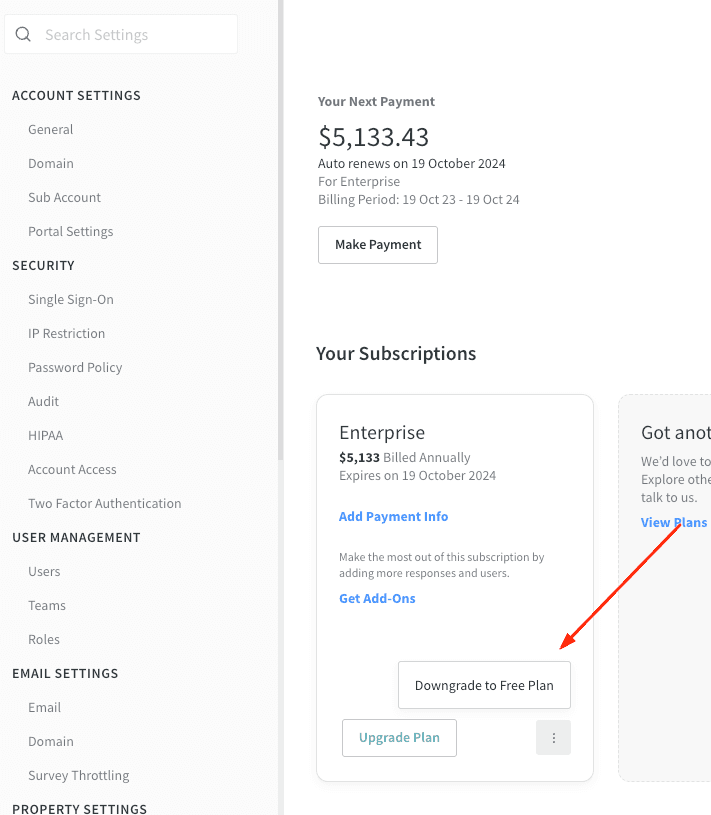
If you wish to delete your SurveySparrow account entirely, navigate to Settings -> ACCOUNT SETTINGS -> General, then select "Delete Account."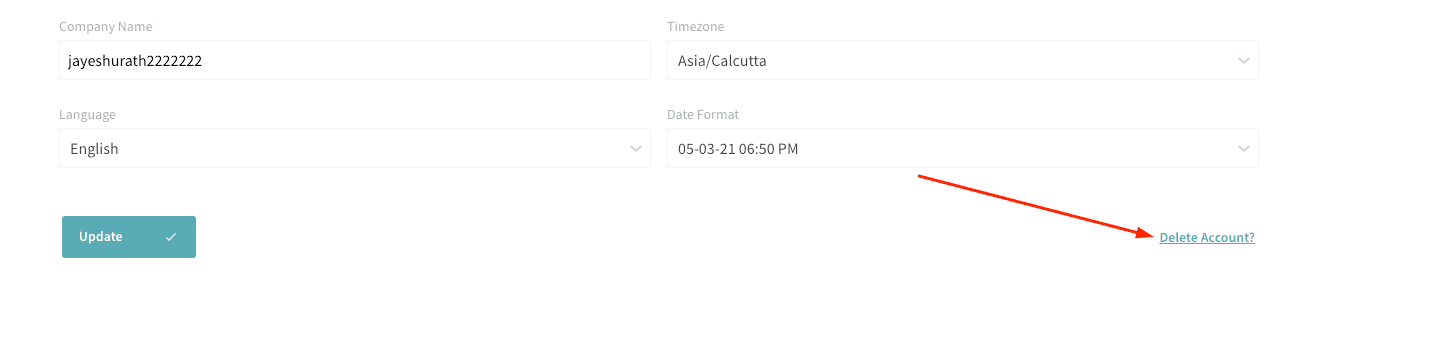
Note: If you cancel your subscription before your billing cycle ends, our Billing team can review your account for any eligible prorated credit based on the unused portion of your plan. Any approved credit will remain on your account for future use.
Want to reactivate your plan later? Just reach out to us via the in-app chat or email [email protected] with your account email and workspace URL. We'll help you verify any available credits and get your subscription active again.