
Search

If you’ve run market research surveys, you understand the difficulty of getting responses from the right people, since wrong-fit audiences will spoil the accuracy of your insights and derail any business decisions made. But it can be time-consuming to find those respondents yourself.
Now, the new audience panel feature lets you define the exact audience you need (with demographic and professional filters), then purchase it (with assistance from our team), all within SurveySparrow. You get authentic responses directly to your account, all within hours, not weeks. You can confidently generate reliable insights fast and drive better business decisions.
In this article, we’ll show you how to define your audience and initiate the purchase.
1. Open the survey for which you need a panel audience and head to the Distribute section.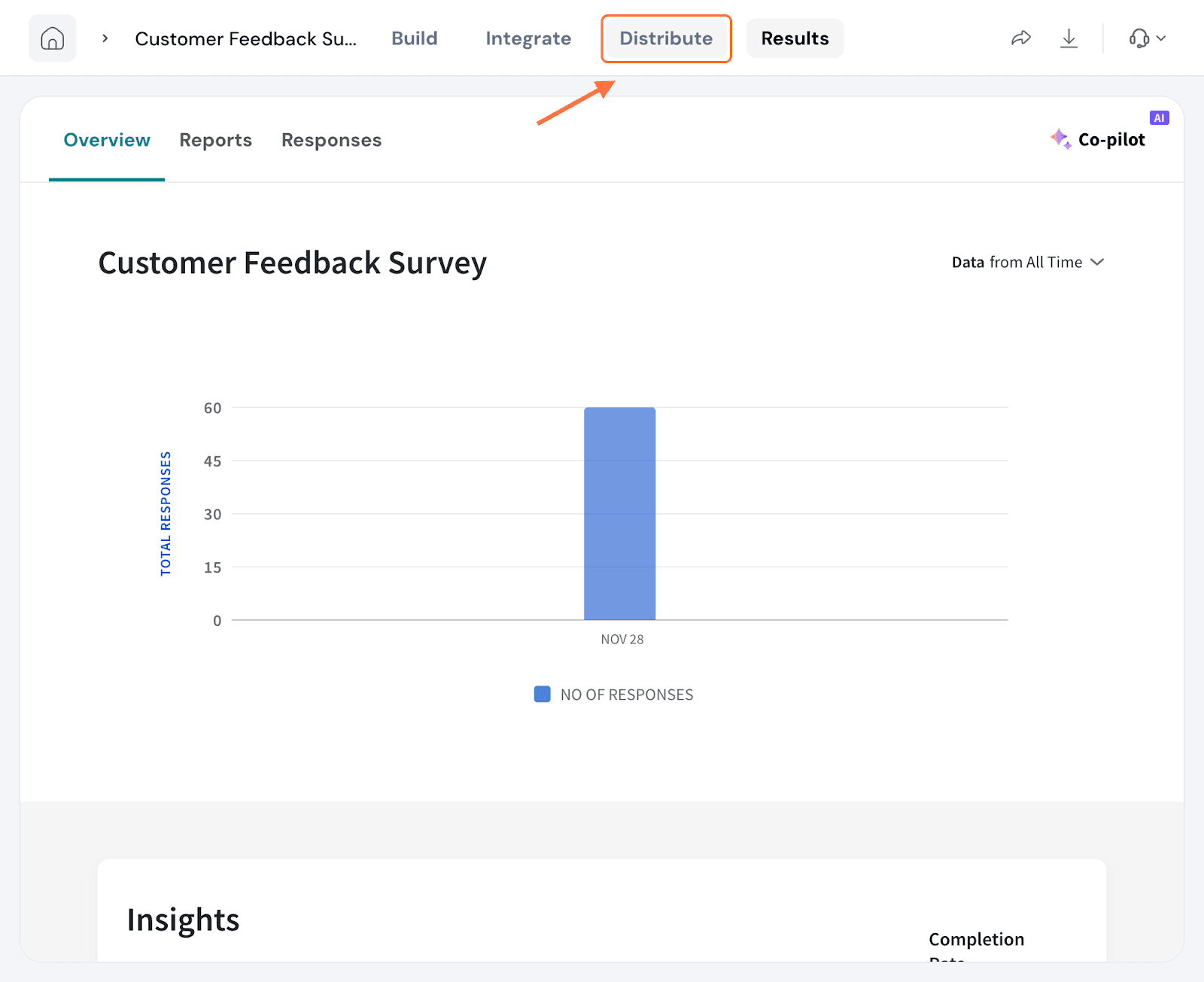
2. Scroll down the Distribute page till you see the section titled Find your perfect audience on the right side. Then click on Get Audience.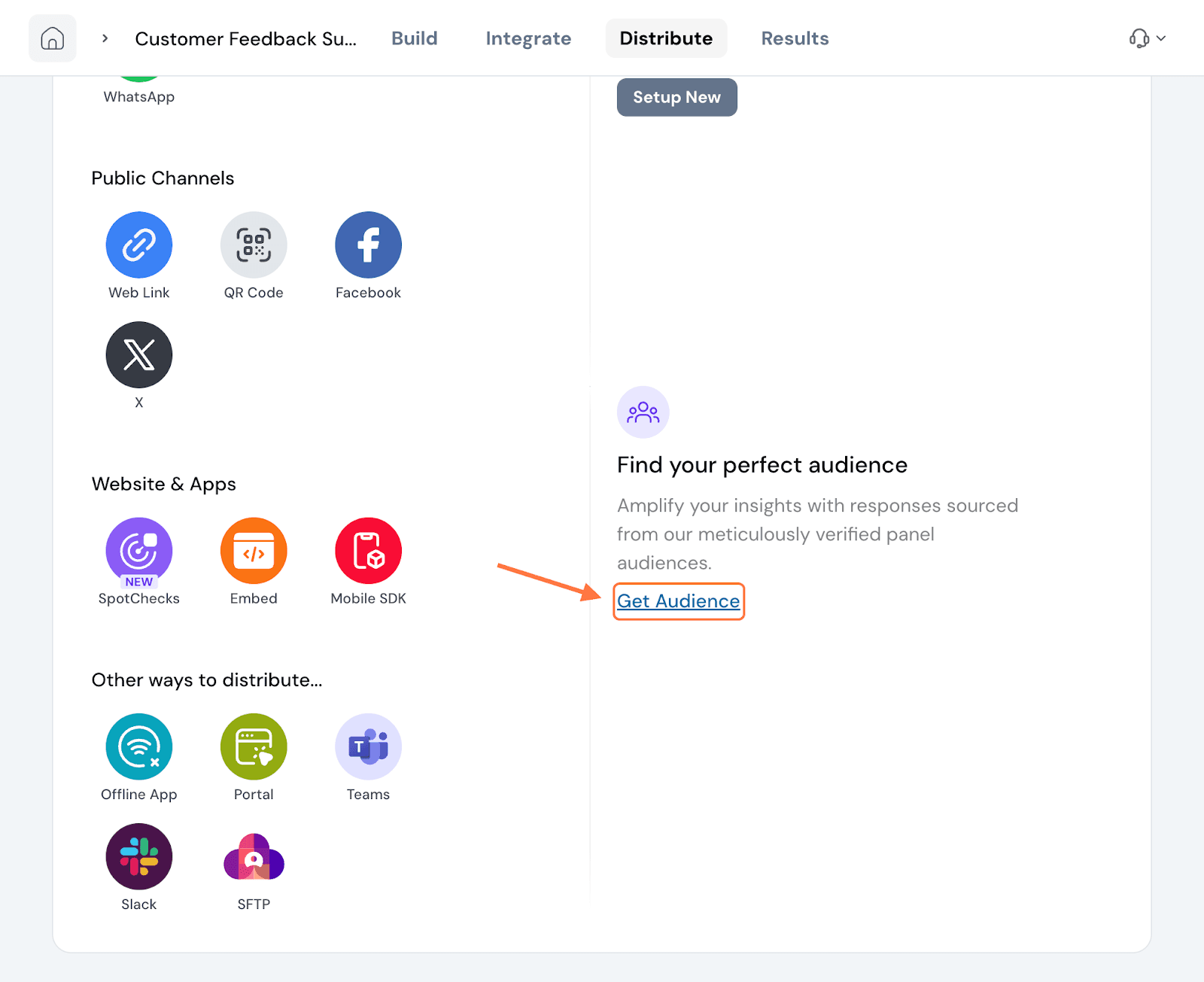
3. When the pop-up appears, click on Get Audience.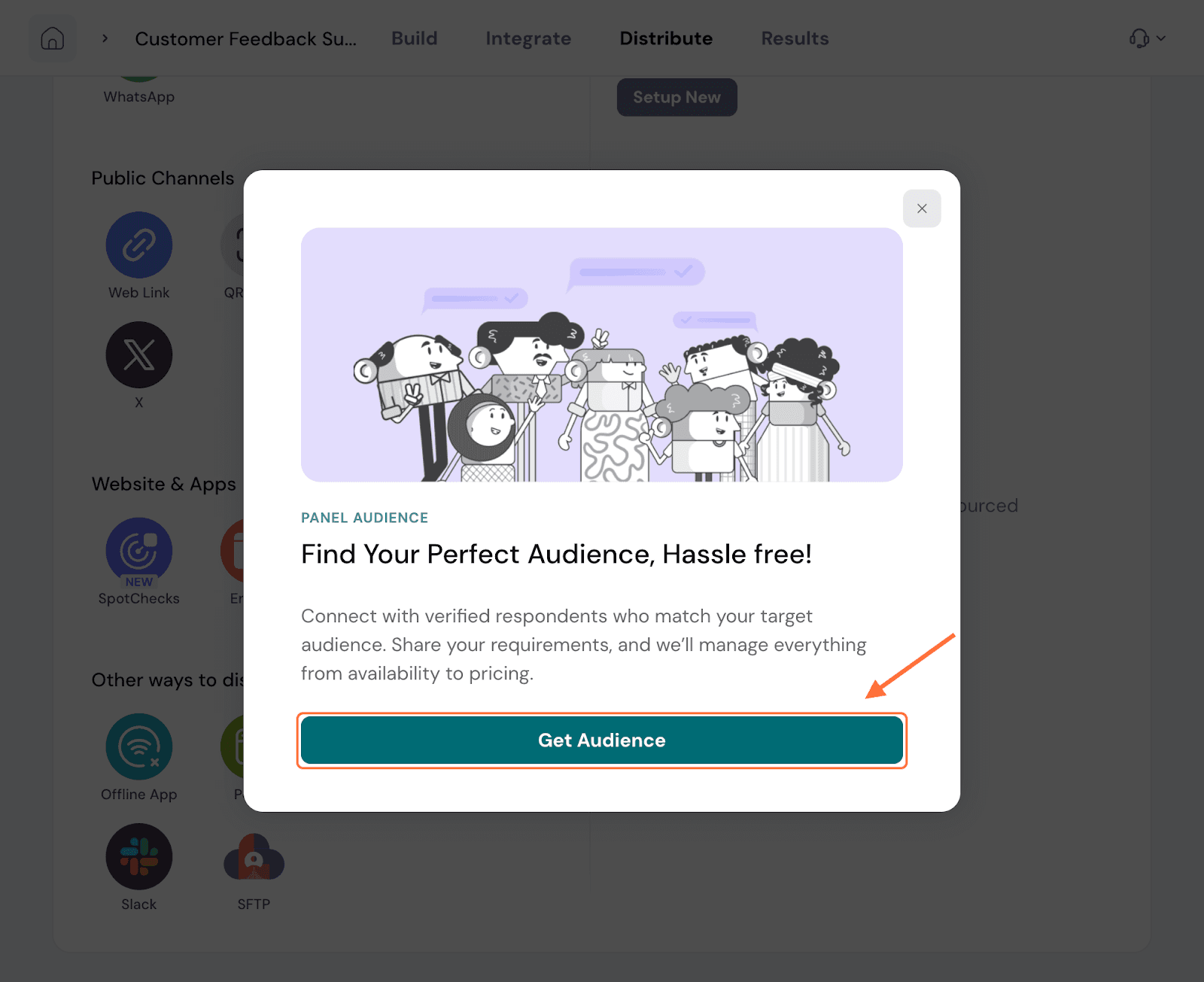
4. A request form appears. Fill out all the mandatory fields and hit Submit request. Our team will get back to you with a price quote for the audience. Once you are satisfied and approve, they will purchase the audience. If you have any further concerns or requirements throughout the process, they will work closely with you.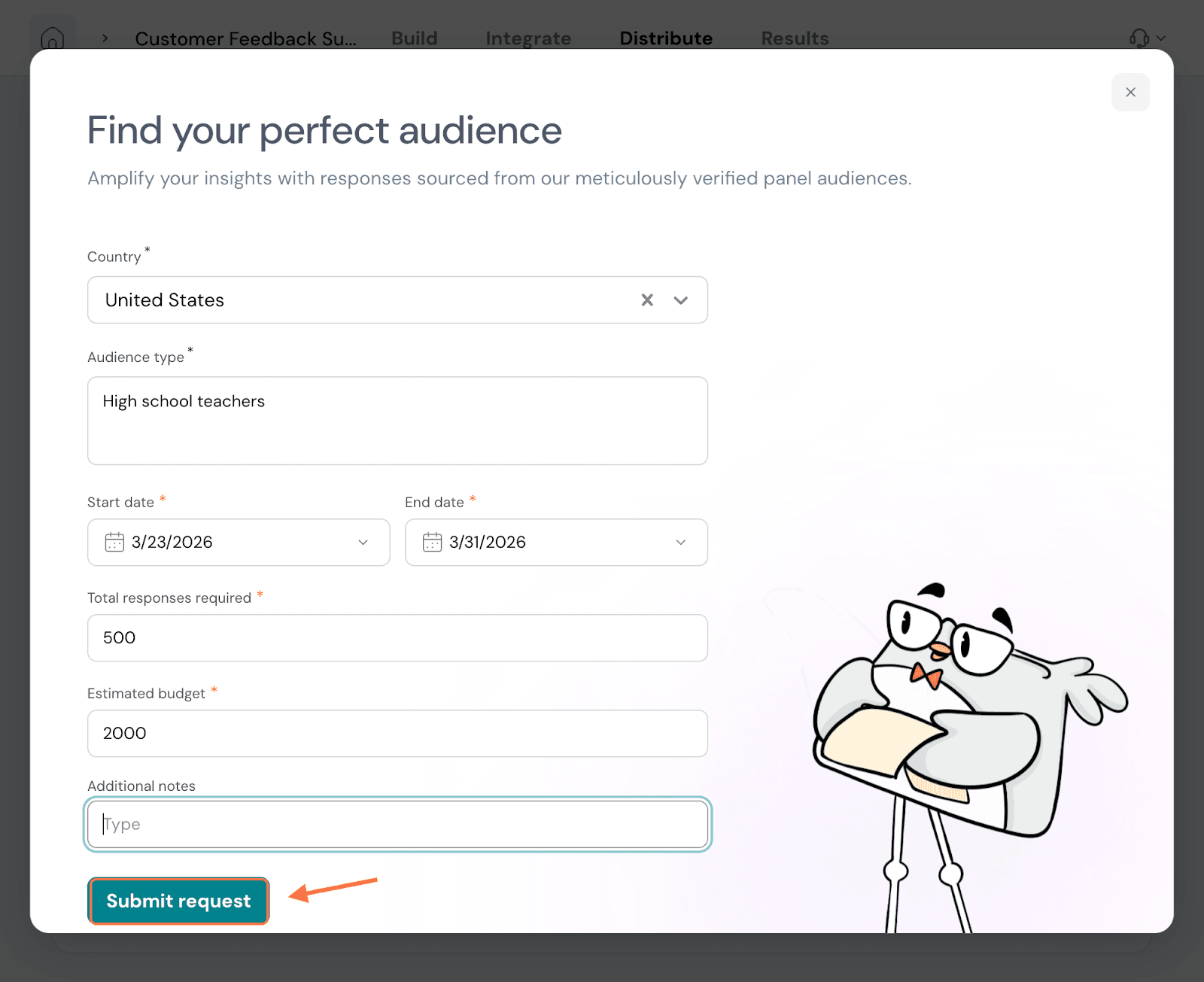
5. You can also access this request form from the Responses tab (inside the Results section in two ways). The first instance is when your survey has zero responses. You will see a message at the bottom of the tab. Click on Get Audience. The form appears again, fill it up and submit it.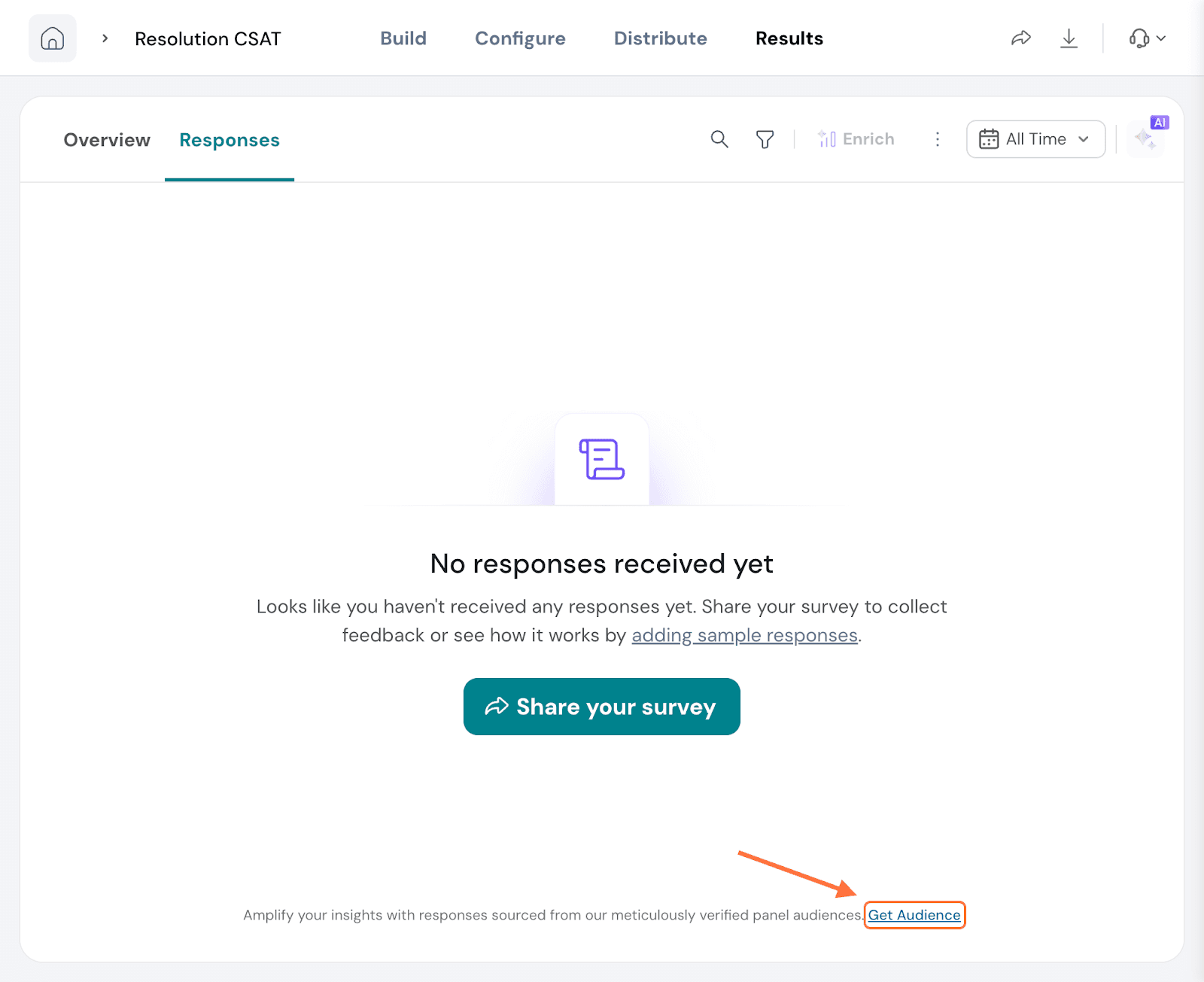
6. For the second instance, within the same Responses section, click on the horizontal three dot-icon next to the time range selector. When the menu appears, click on Get Audience.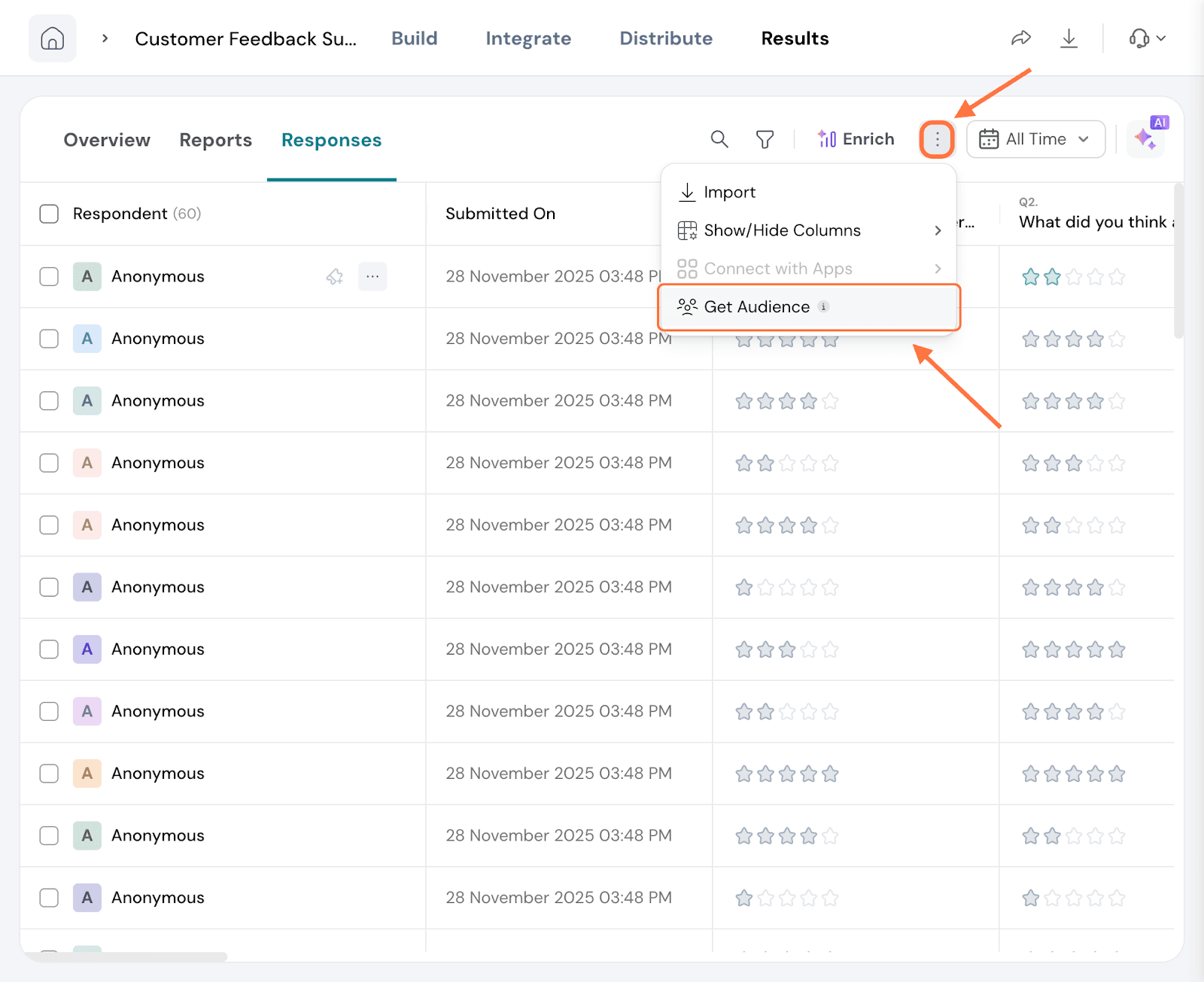
7. Click on Get Audience inside the pop-up. The form appears again, fill it up and submit it.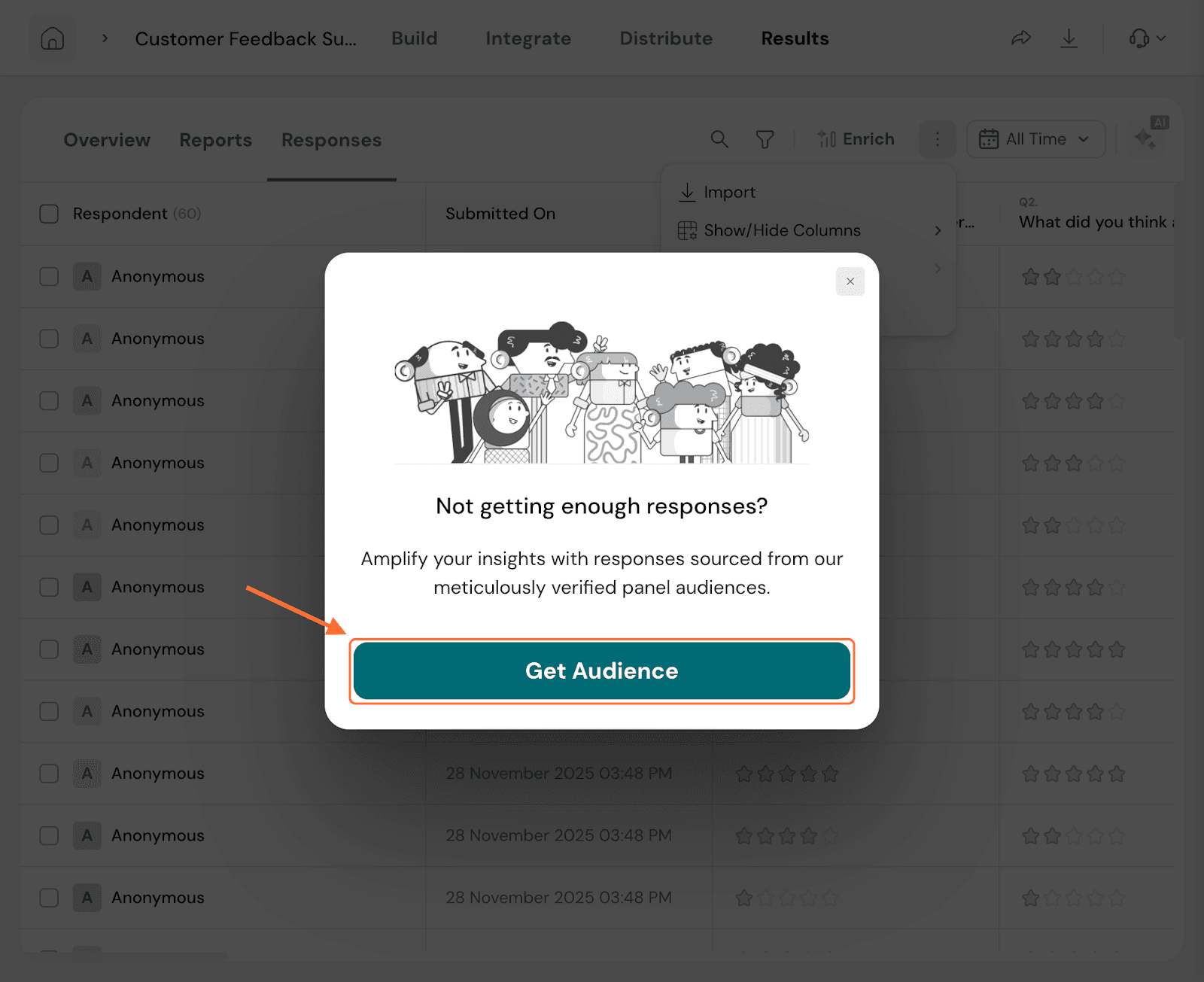
Feel free to reach out to our community if you have any queries.
Powered By SparrowDesk