
Redirecting Users Upon Survey Completion

If you wish to redirect the survey respondents to your page upon survey completion, you can achieve it so by enabling the Redirect feature.
Let’s see how to go about enabling this feature:
1. Go to the Thank-you page after completing the survey and enable the Page Redirect toggle.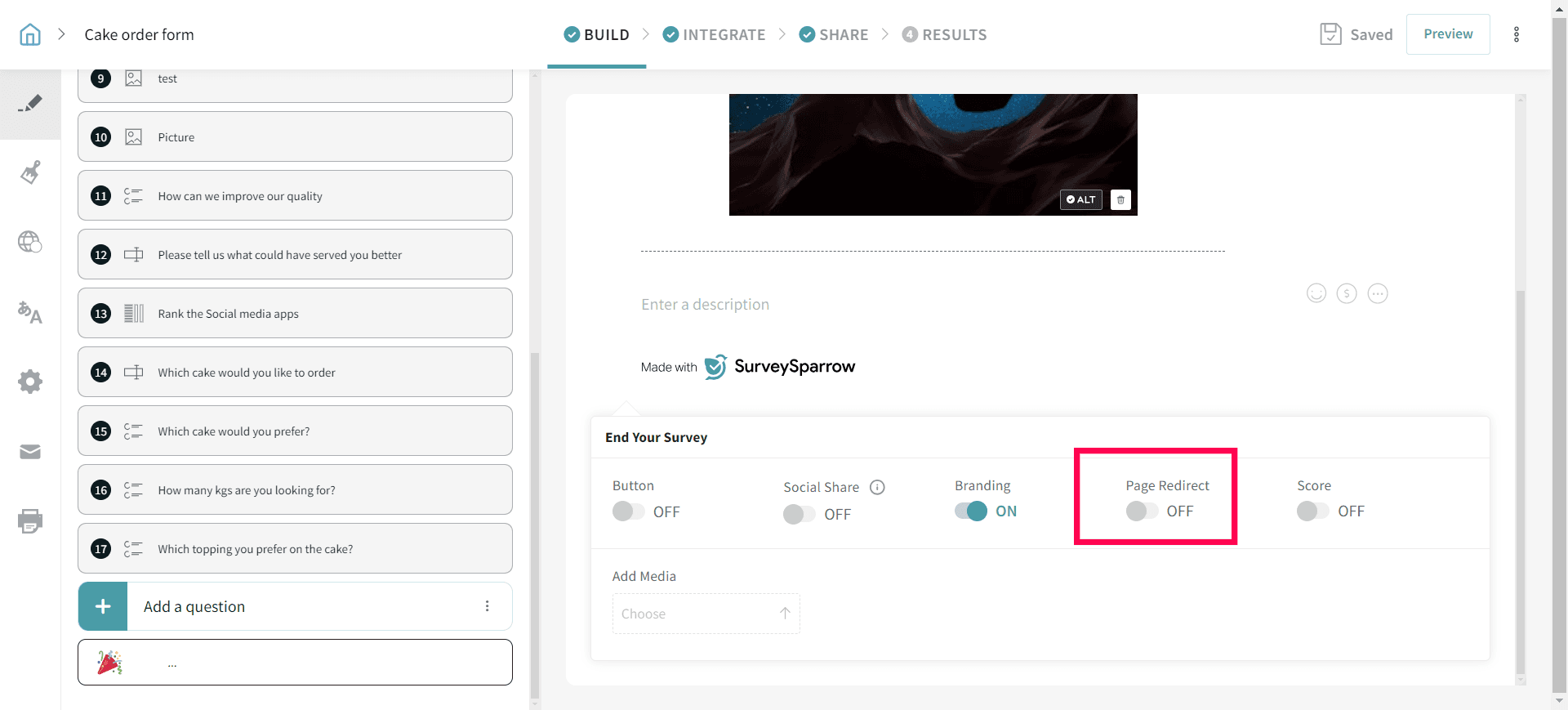
2. Once enabled, enter the URL to which you wish to redirect your survey taker upon completion.
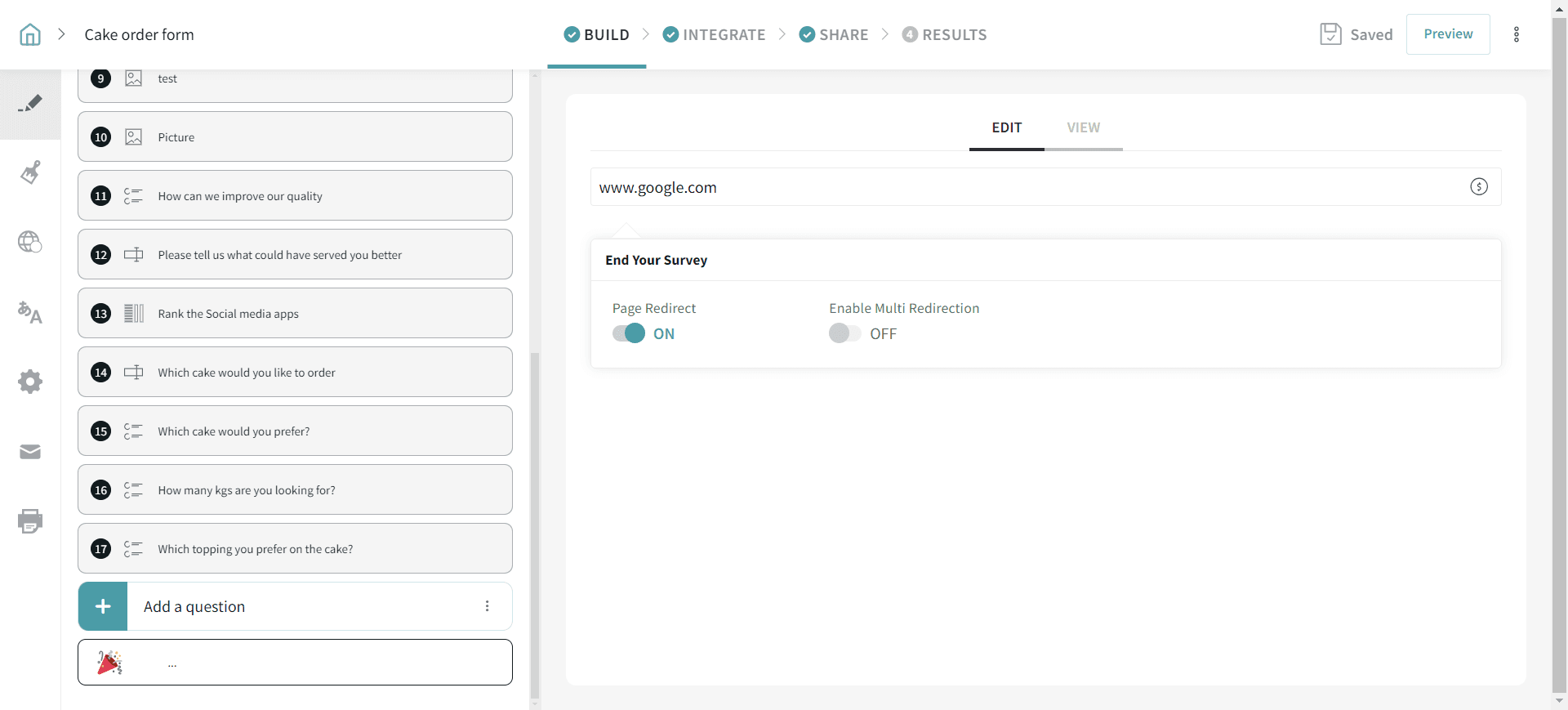
Now you are good to go! Your respondents will be redirected to this page (Here it redirects to www.google.com after the survey is completed) Please reach out to us if you have any further questions. We are just a chat away!
Note:
- When the Redirect feature is enabled, the Thank-you page will not be shown to the user. So, any customization you have done will not be displayed.
- If you are using a redirect URL with dynamic parameters (for example, a complete link like https://abc.us/s/ClientCallBack.aspx?RIS=10&RID={custom.RID}), please ensure the custom variable used in the URL (for example, {custom.RID}) is available and can be populated in SurveySparrow. If the value is not being populated, the redirect may not work as expected.
Please reach out to us if you have any questions. We are just a chat away!