
Limit Survey Responses

How completed questionnaires are counted for plan quota: A completed questionnaire is counted when a respondent completes and submits the survey (i.e., a completed response). Your plan quota is applied at the account level and can be impacted by plan changes (upgrade/downgrade) and renewals. If your account was previously on a higher-tier plan and later renewed on a lower-tier plan, older completed responses may still be included in the quota calculation shown in-app (for example, within a rolling 12-month window, depending on your plan and billing configuration). If the in-app message mentions a timeframe (such as “1 year”), share the exact message/screenshot with Support so we can confirm how the window is being calculated for your account.
Control how many responses your survey gets by setting a limit on the number of participants.
This is the number of responses your surveys can collect based on the settings set in the "Config" tab in the Build section of a survey.
Let’s get into how it works:
1. Log into your SurveySparrow account. Select the survey you would like to set a limit to.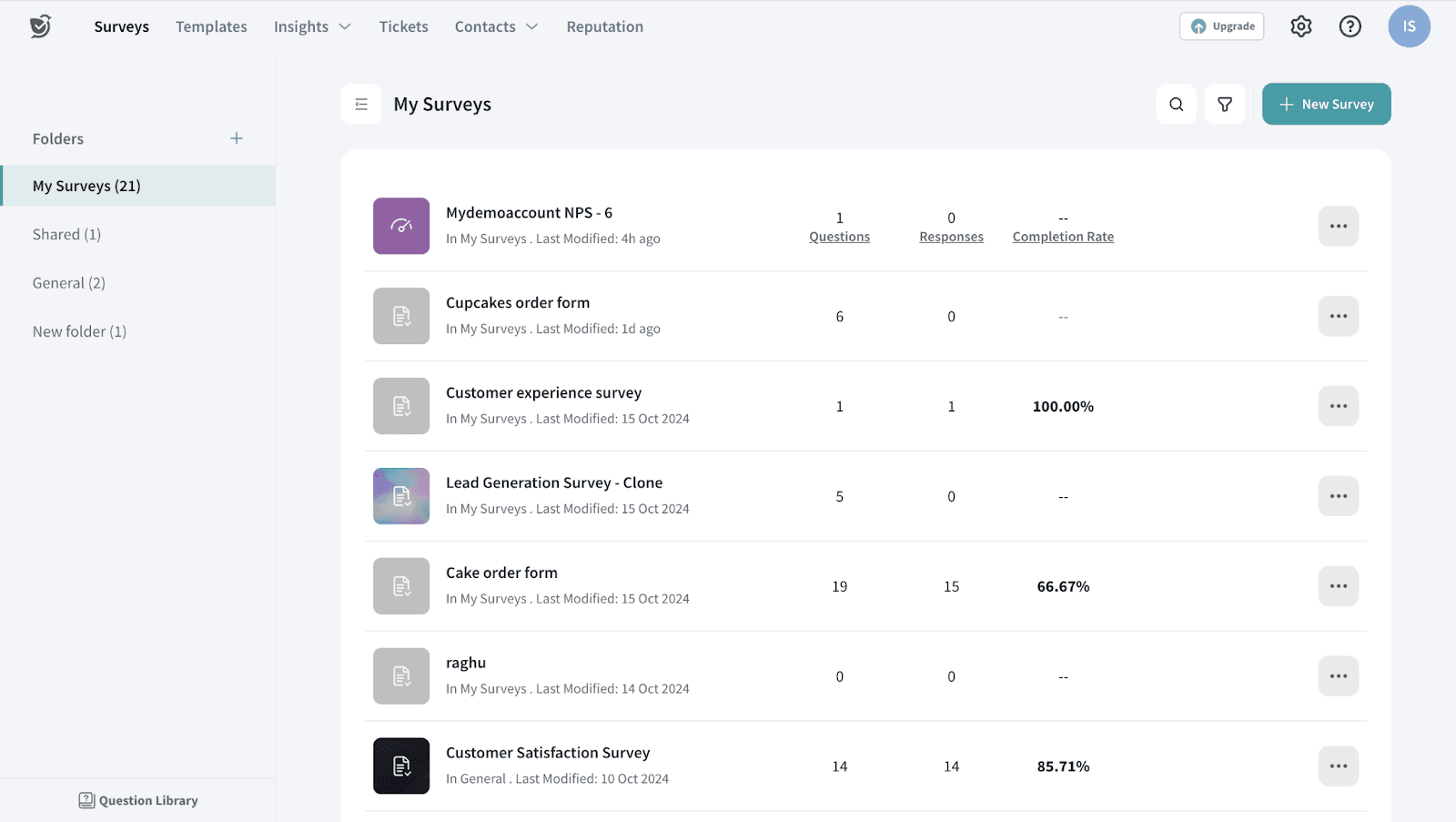
2. On the left toolbar, select the Config tab to proceed.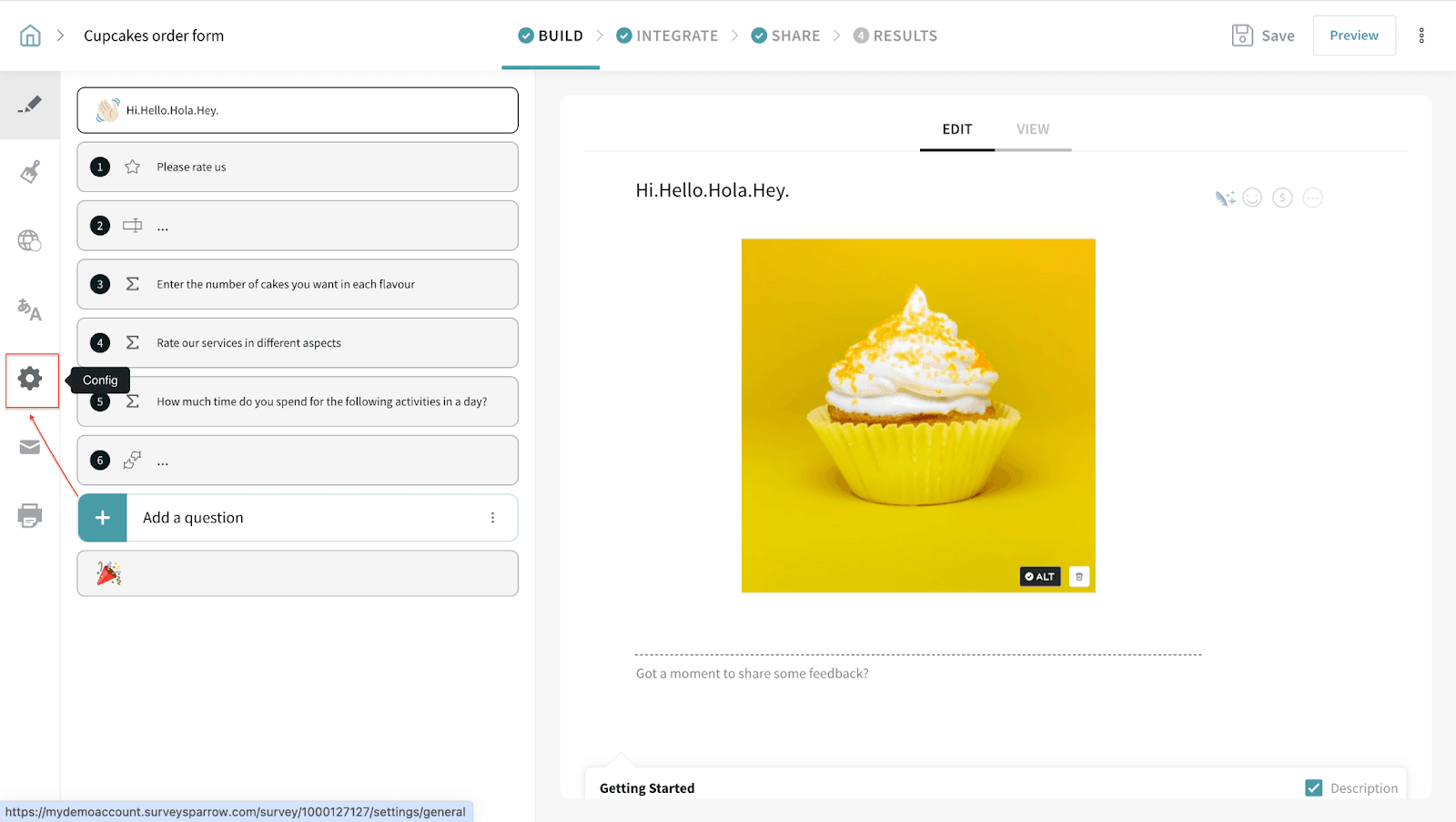
3. Under General Settings, scroll down to Configuration > Toggle On ‘Limit the number of responses this survey can get’.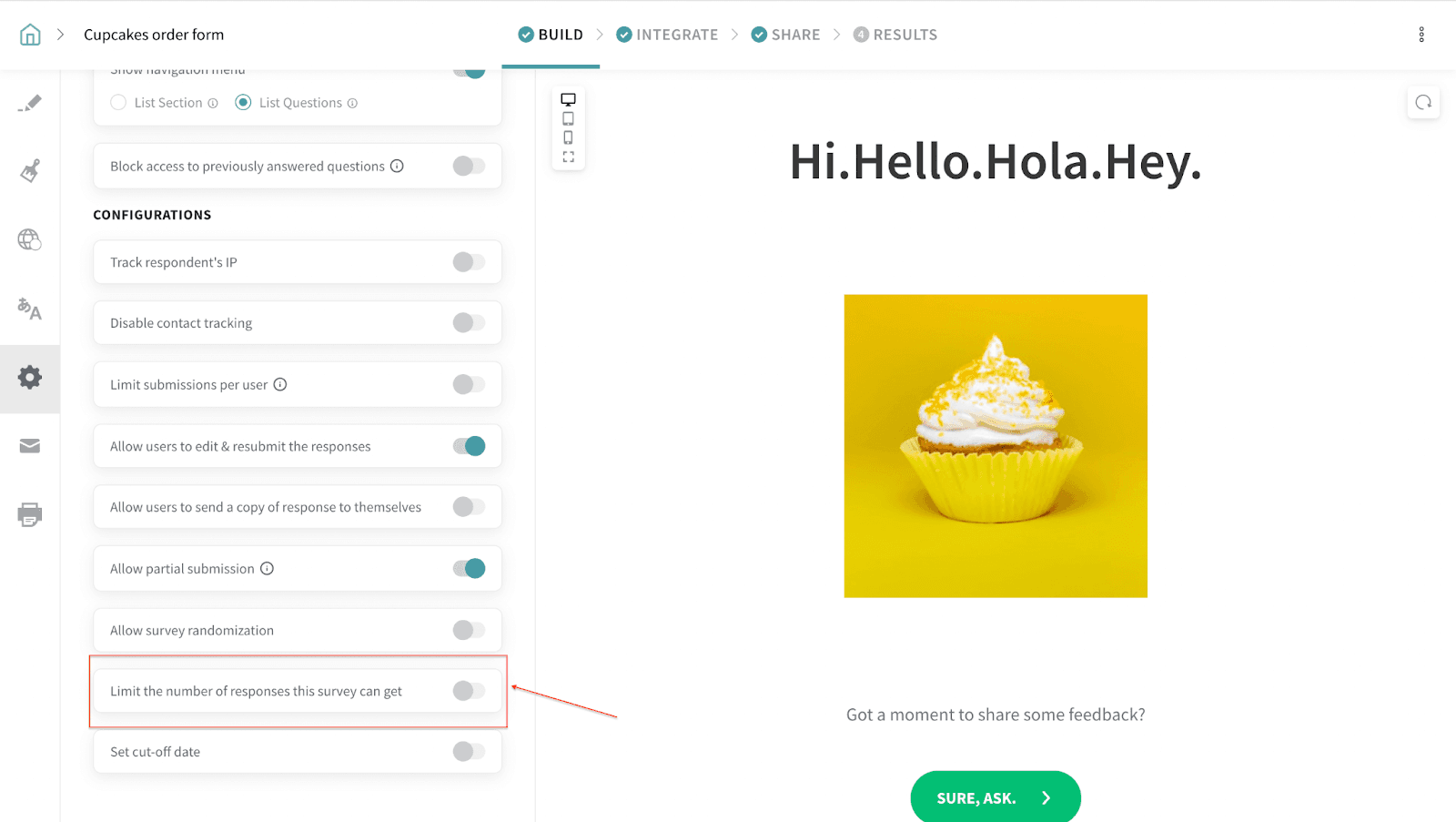
4. Add in the maximum number of participants you want to limit your survey to and hit Save. Your survey will now accept only responses within the set limit.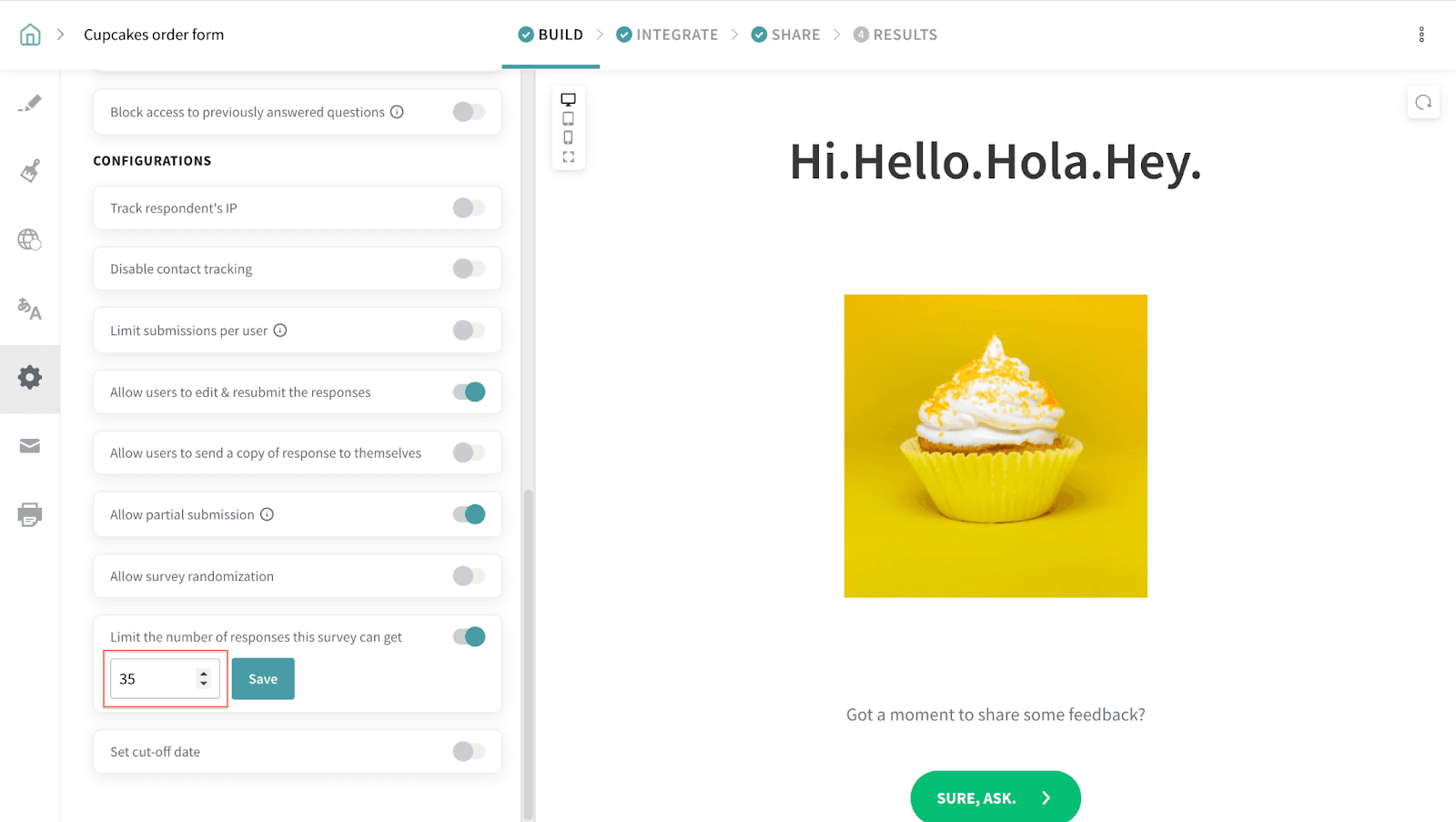
Congratulations. You have now successfully set the limit for this survey.
Please reach out to us if you have any questions. We are just a chat away!