
Updating Your Profile

Updating your SurveySparrow Profile
You can update the Profile information of your account. You can change your:
- Profile Picture
- Profile Name
- Password
1. To update, click on the profile icon and select “Profile Settings”. You will be redirected to the User Profile page. Here you can change all the above-mentioned details.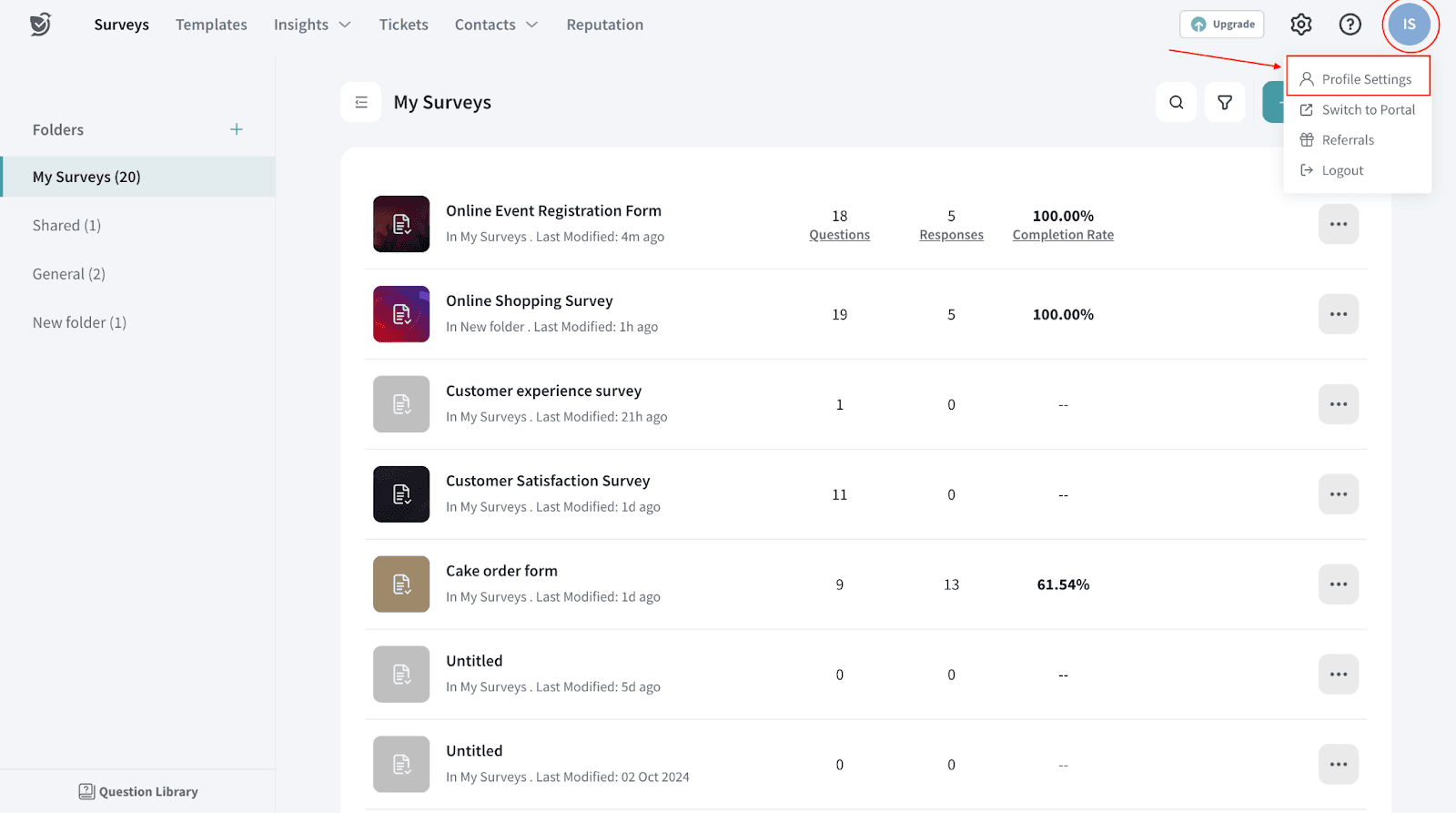
2. Click on the Update button to save your changes.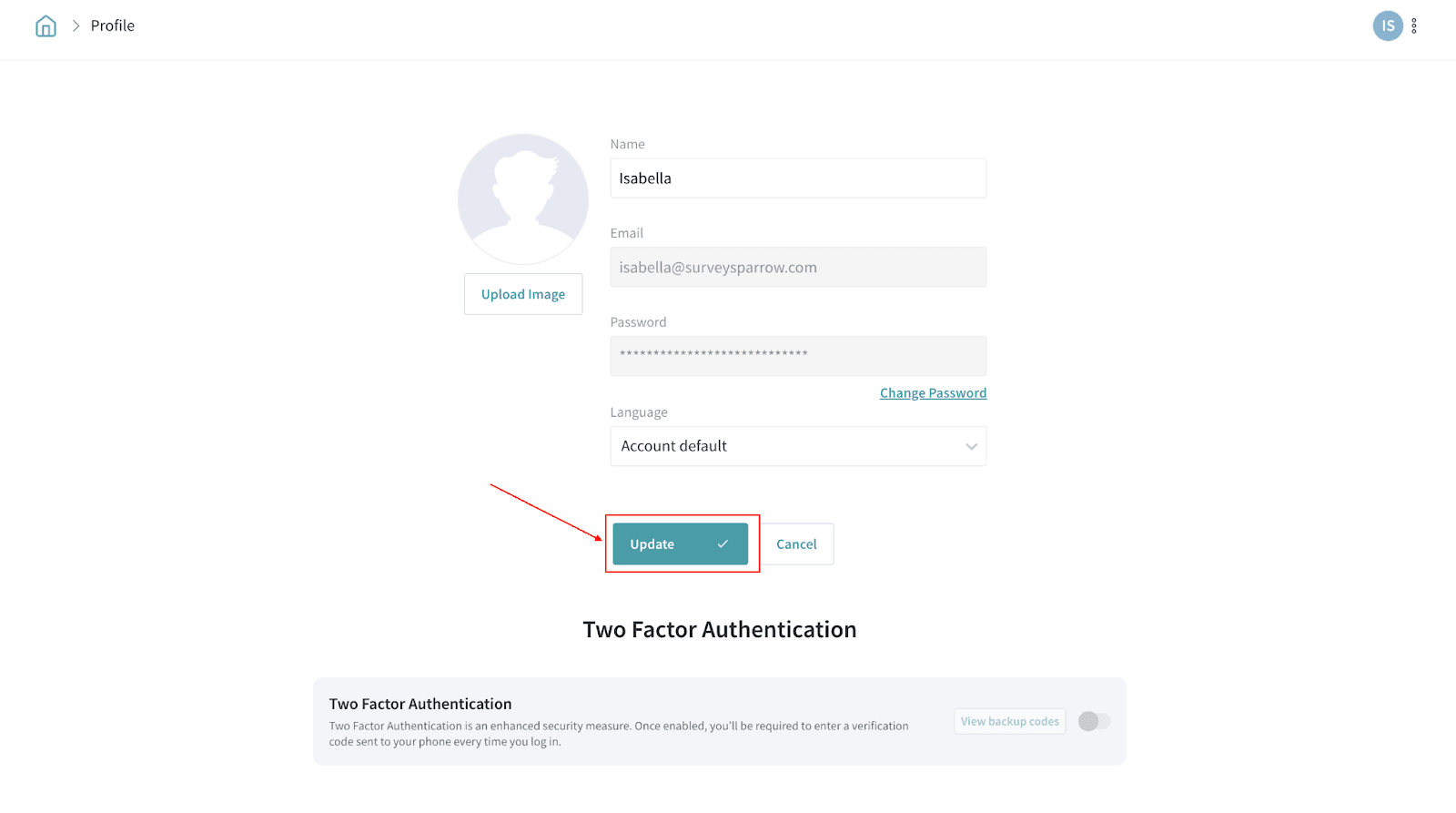
Please reach out to us if you have any questions. We are just a chat away!
Note: Your SurveySparrow login email (the email you use to sign in) cannot be changed from Profile Settings. If you need to use a new login email, create a new user with the new email address, transfer the required access/privileges, and then remove the old user.
If you need to change the account owner email (ownership of the workspace), transfer ownership to another user email from your account settings. If the new owner email is not already a user in the account, add them first. If you don’t see an option to transfer ownership, contact support via chat for help.
If you need to change the account owner email (ownership of the workspace), transfer ownership to another user email from your account settings. If the new owner email is not already a user in the account, add them first. If you don’t see an option to transfer ownership, contact support via chat for help.