
Audit Logs in SurveySparrow

Keep track of all relevant actions performed by the users of your SurveySparrow account.
Audit logs keep track of all relevant actions performed by the users of your SurveySparrow account. Any changes or update in a survey, be it deleting a survey question, editing a particular choice of a question, or creating a new email share, is recorded and trackable in Audit Logs.
We will dive deeper into all the survey actions that Audit Logs can record.
Section
Actions
Account Level
Create survey
Delete survey
Add user
Delete user
Create a new folder
Delete a folder
Survey Level
Create share
Update share
Delete share
Edit survey
Create or delete a custom property
Change theme
Add or delete Section
Add or delete question
Add, edit or delete choice
Connect or disconnect an integration
Add or delete webhook
Add or delete workflow
Edit survey settings
Create variable
Delete variable
Create expressions
Delete expressions
Contacts
Create new contact
Update contact
Delete contact
Add a new contact property
Delete a contact property
Where to access Audit Logs?
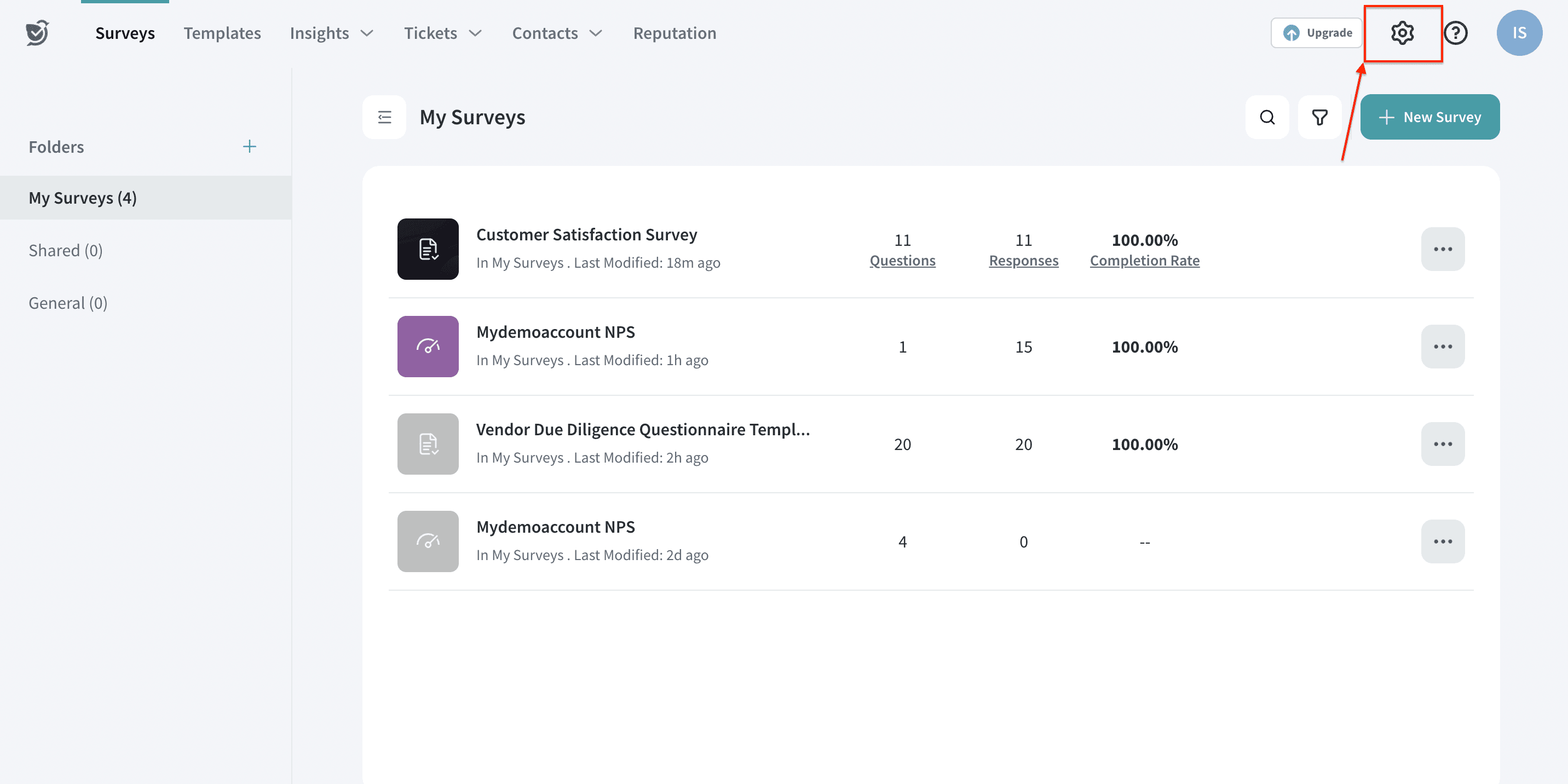
1. Log in to your SurveySparrow account and click on the Settings icon at the top.
2. Under Security, select Audit Logs.
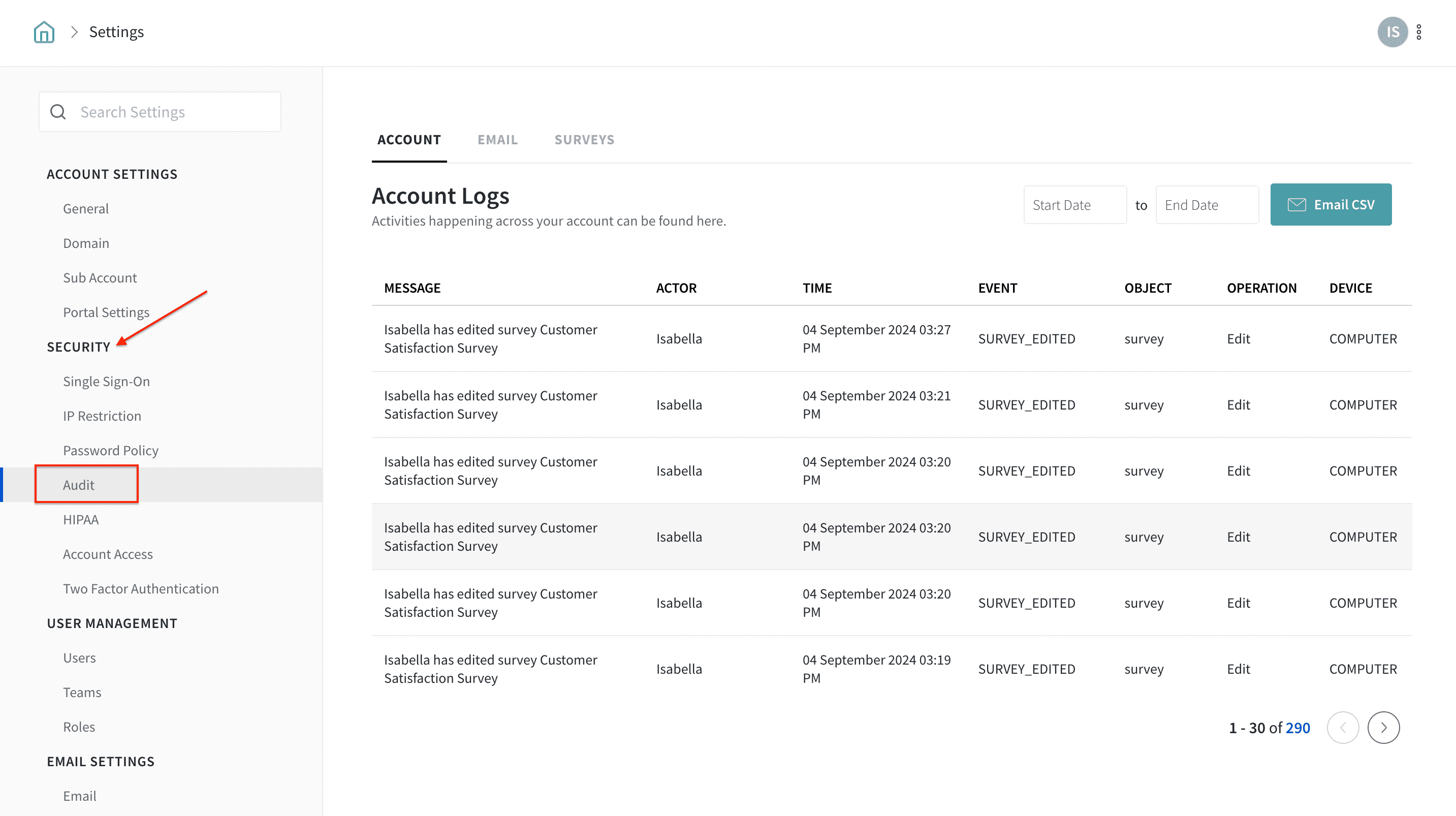
That's it! Now, you can track all the relevant records of actions related to surveys, accounts, and user management settings in chronological order. You can find the date and time of action along with the username (actor) and the activity in detail.
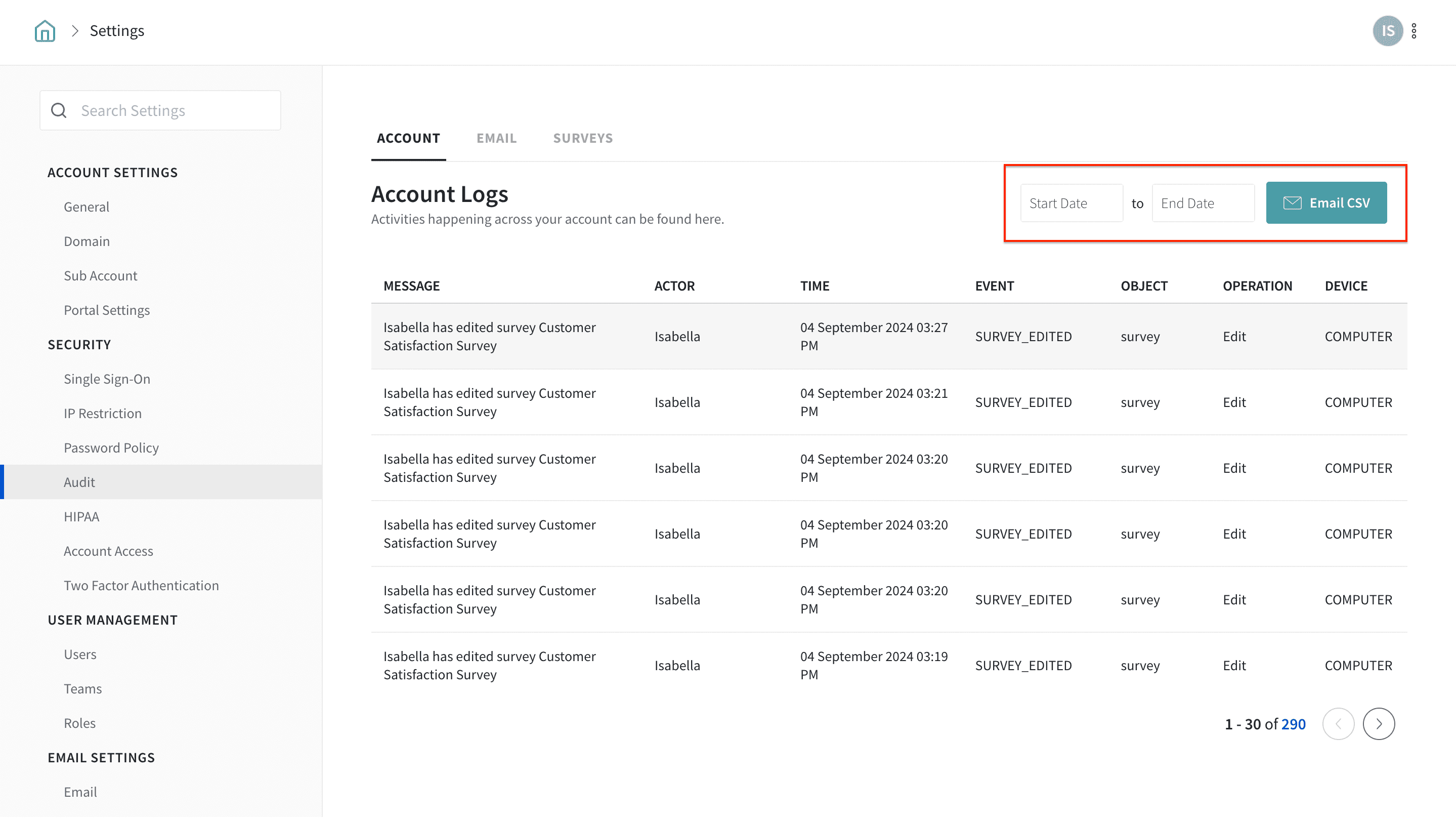
To export the Audit logs to your mailbox, you can click on the “Email CSV” button.
Advantages of Audit Logs
- With Audit logs, you can monitor the actions and keep track of potential security breaches or any internal misuse of information.
- Audit logs help you identify and prevent fraudulent attacks.
- With critical and secured surveys in place, you can get an eagle-eye view of the action, Time, Event, Object, Operation, Device, and IP Address tracked in Audit logs.
- You can use the date filter to segment the logs performed during that particular time.
- You can get the logs emailed to your registered SurveySparrow email id as a CSV file
Note:
- Audit Logs are a part of our custom pricing plans and will be enabled based on your request. If you want Audit Logs to be enabled for your SurveySparrow account, please reach out to our support team via chat or email ([email protected]).
- Can I view surveys created by all users in my account? No. Even if you are an Admin, you cannot automatically view or access surveys created by other users. Surveys are visible only to their creators unless they are explicitly shared with you (for example, by placing them in a public folder or granting you access to the folder).
- Account Owner, Admin, and Reputation Admin will have access to Audit logs
- Note: Audit Logs help you track actions performed on surveys and account settings, but they do not provide a consolidated list of all surveys across all users or grant access to surveys you don’t have permission to view.
- Audit Logs track only the actions performed in the Survey Builder, Survey Settings, Integrations, Workflows, Webhooks, Sharing options, and User Management settings.
- Survey Submissions, Responses, and Results are not tracked.
Please reach out if you have any questions. We are more than happy to help you.