
Manage Booking.com reviews with SurveySparrow

Managing Booking.com reviews is vital for businesses to maintain a positive online reputation and attract guests. These reviews significantly influence travelers' decisions when choosing accommodations.
By actively engaging with feedback and promptly addressing concerns businesses can build credibility and foster trust with potential guests. On that front, let’s see how to get started on managing your Booking.com reviews.
How to fetch your business URL from Booking.com
1. Navigate to your product’s page on Booking.com.
2. Copy the entire URL.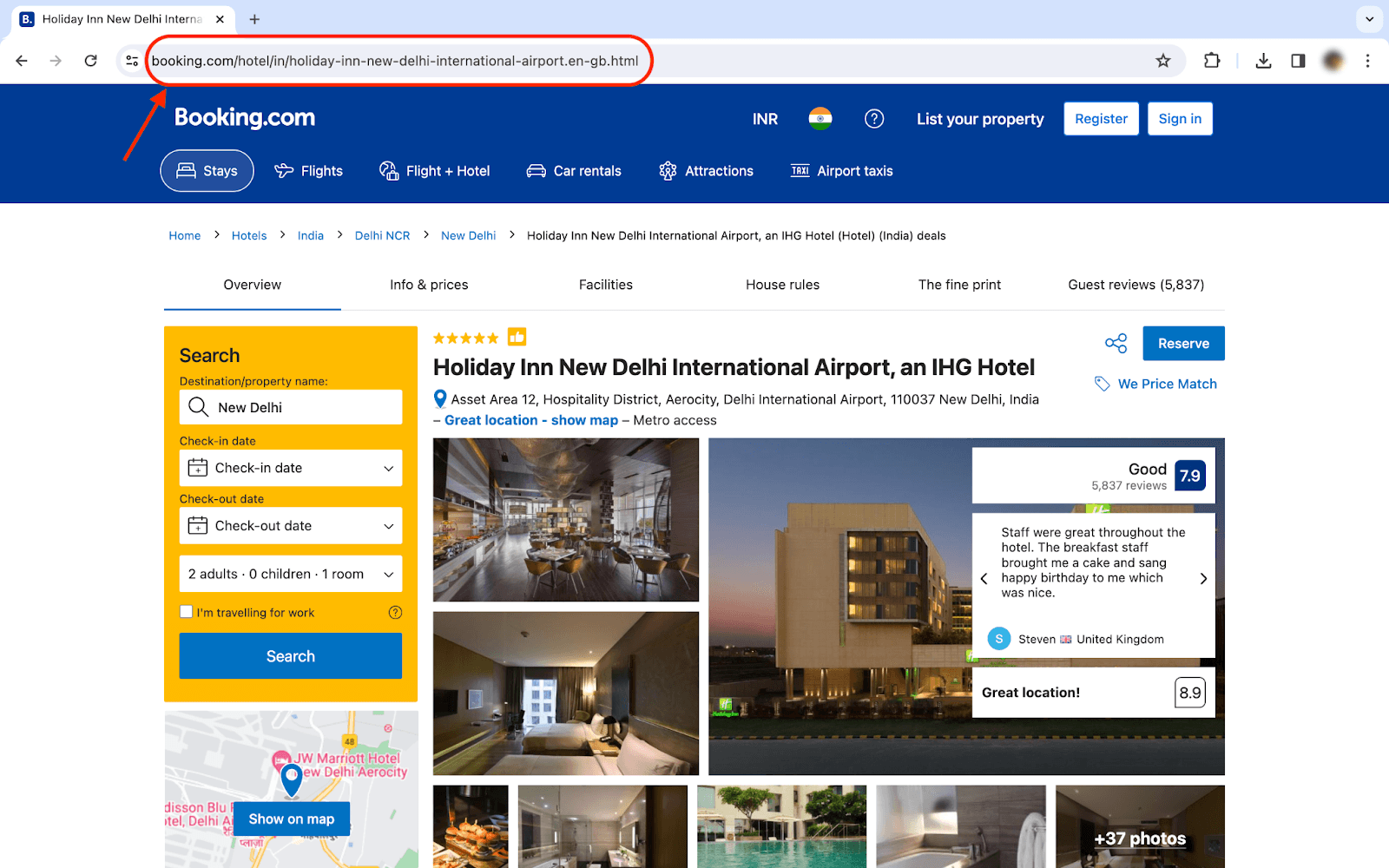
While adding the platform for Reputation Management, enter the copied link in the URL field.
Connecting Booking.com reviews with SurveySparrow
1. Log in to your SurveySparrow account.
2. Under the Reputation menu, click All Reviews.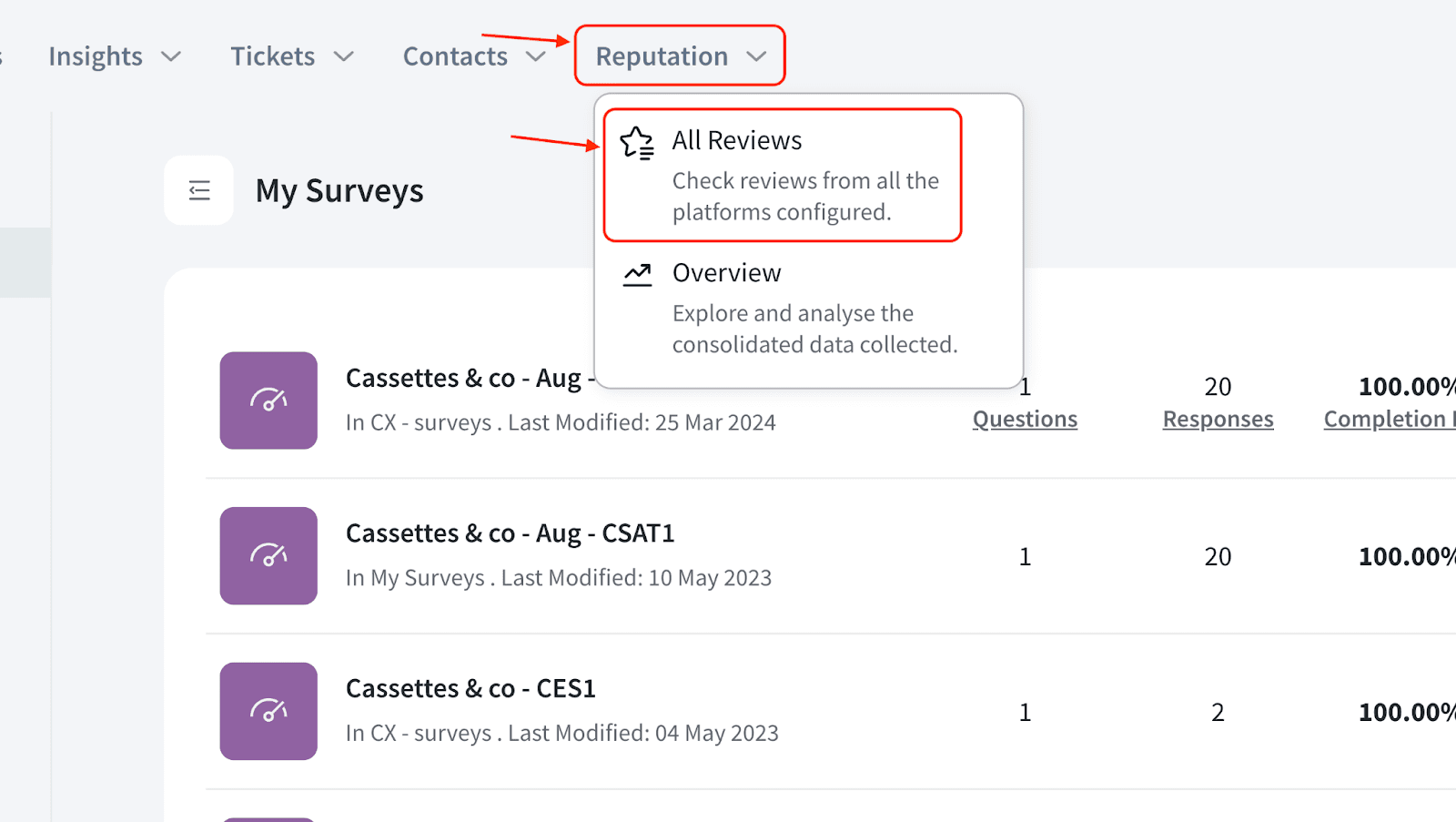
3. Click the 3-dot icon and choose Manage Platforms.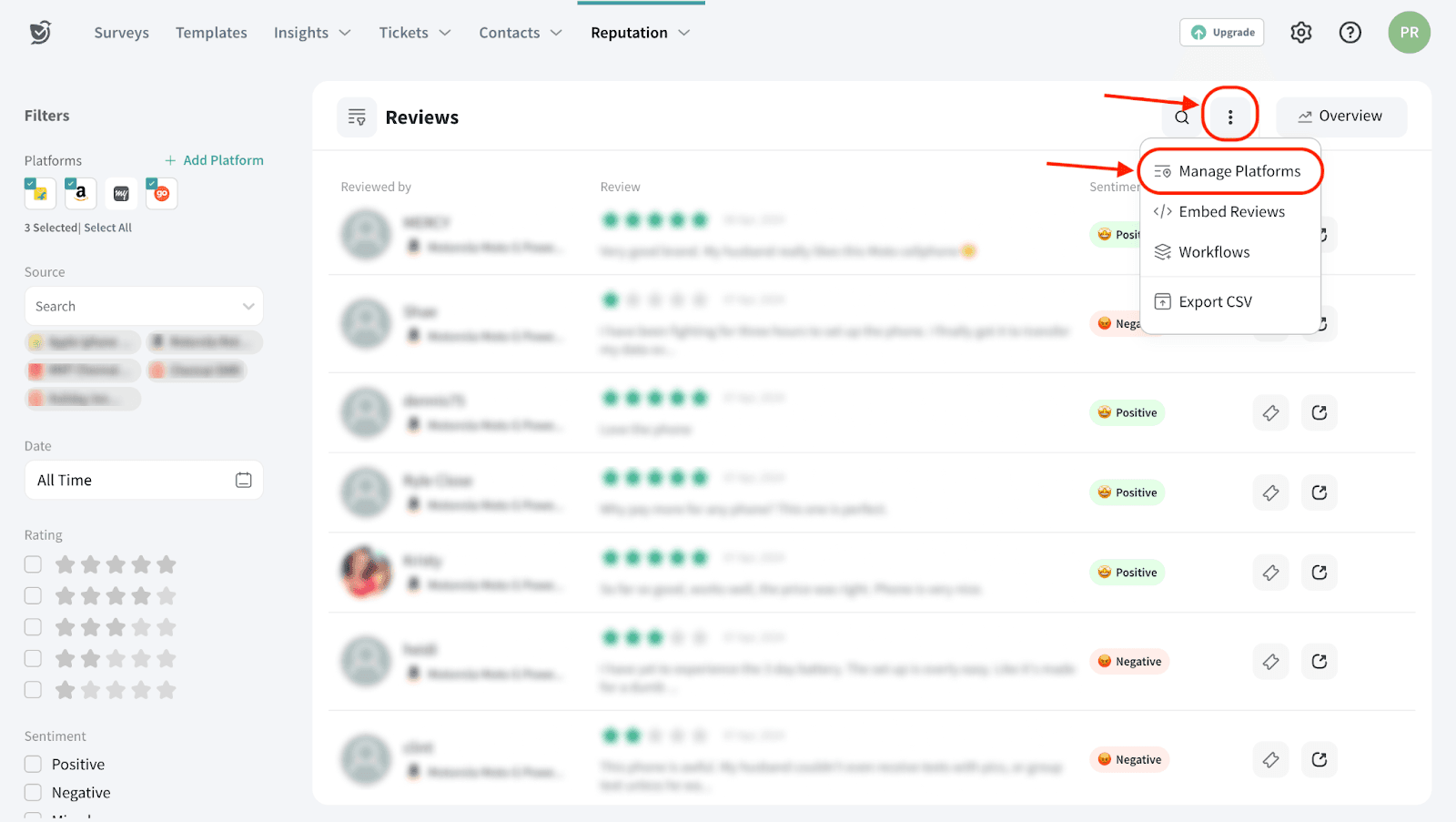
4. Click Add New Platforms.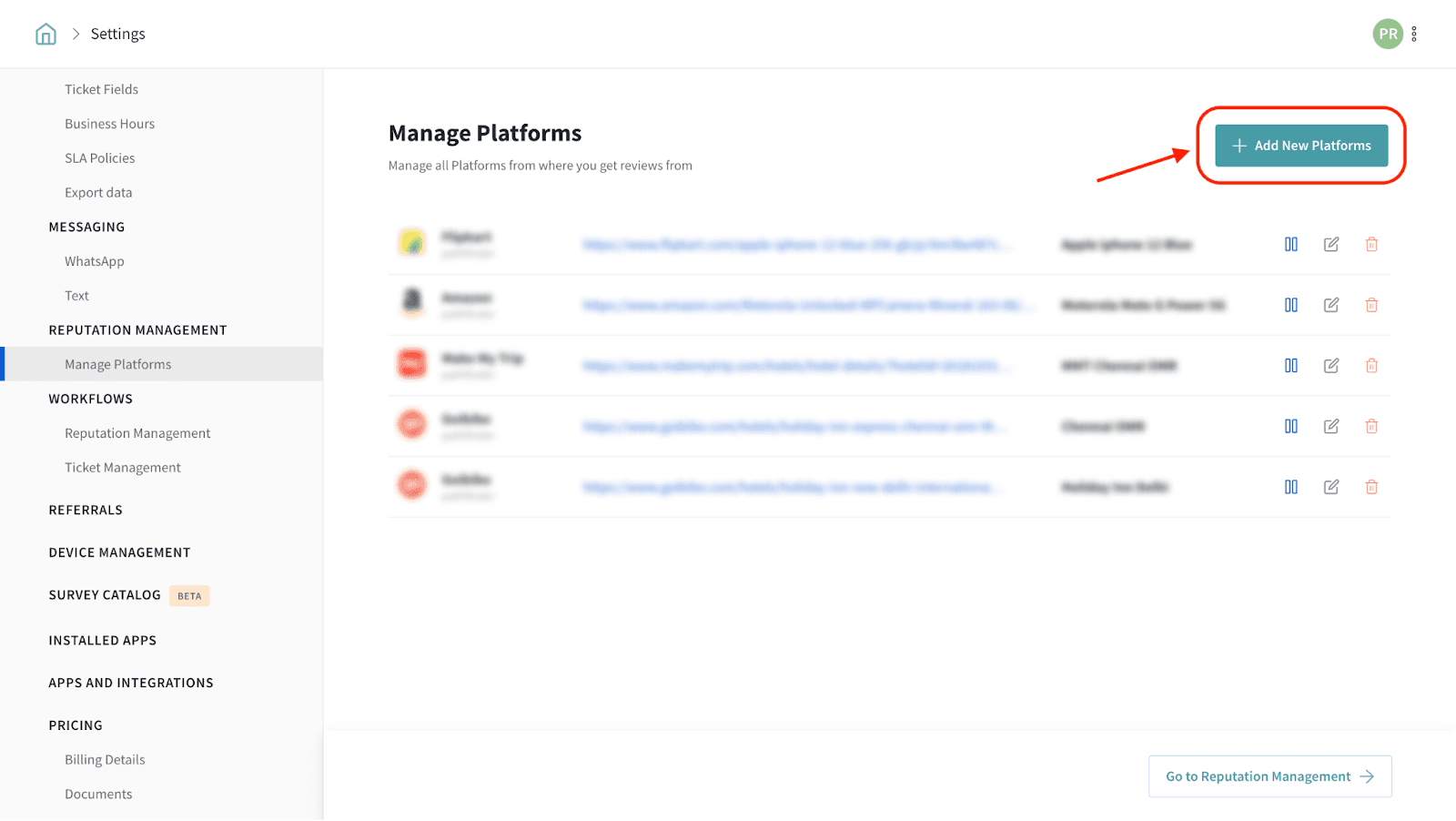
5. Select Booking.com from the platforms list.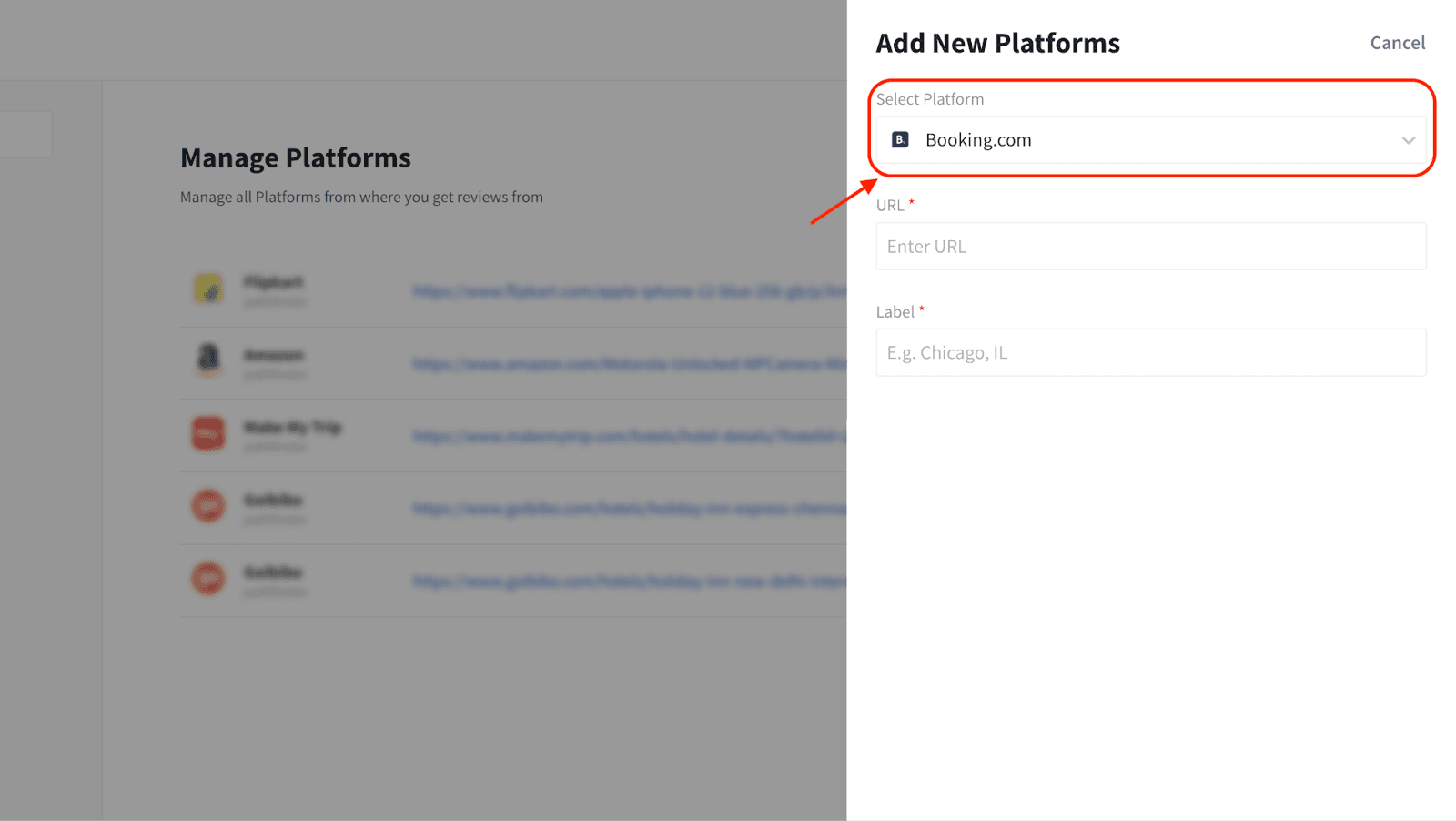
6. Enter your Booking.com listing’s URL and provide a name for your reference.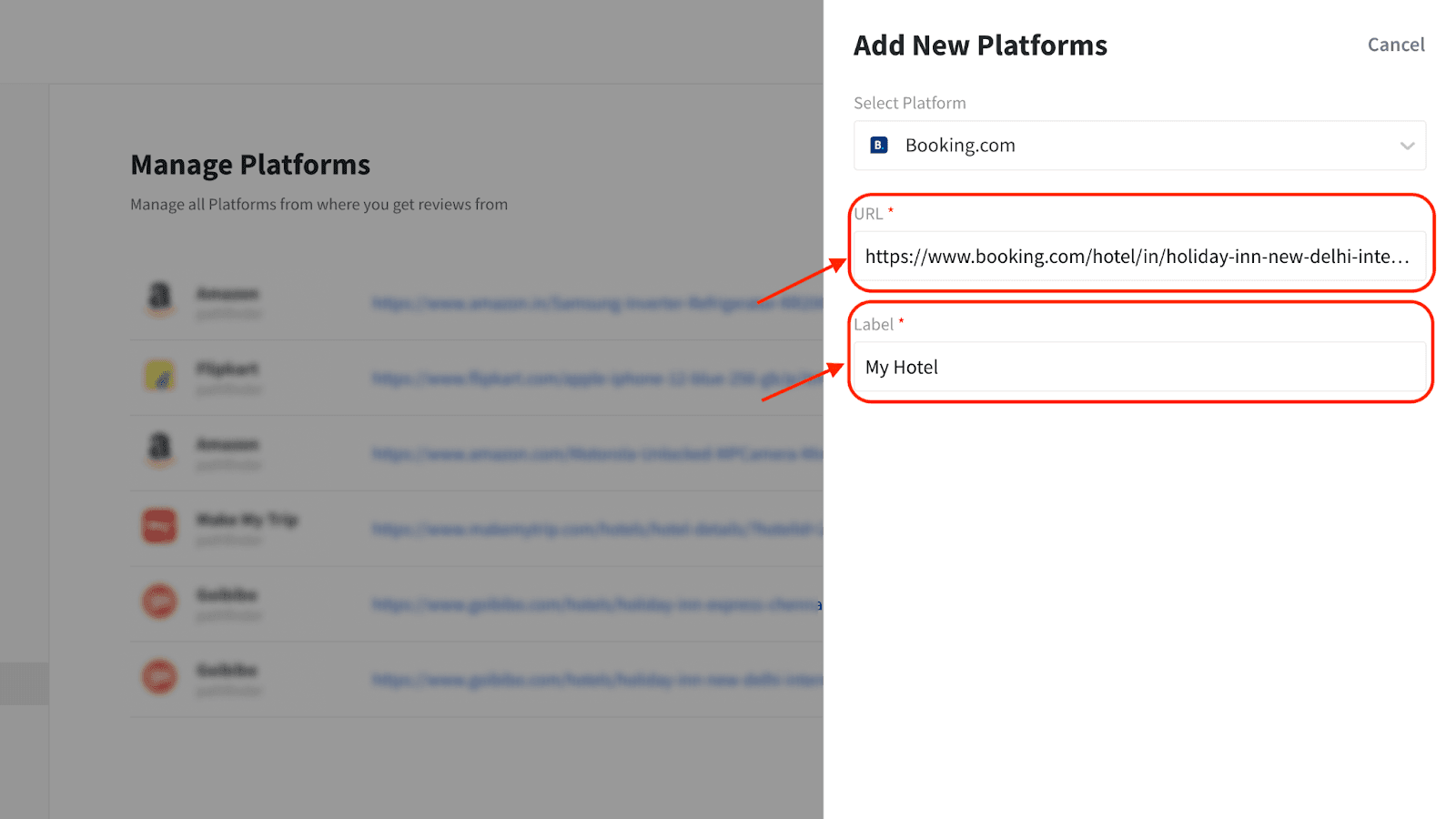
7. Click Create Platform.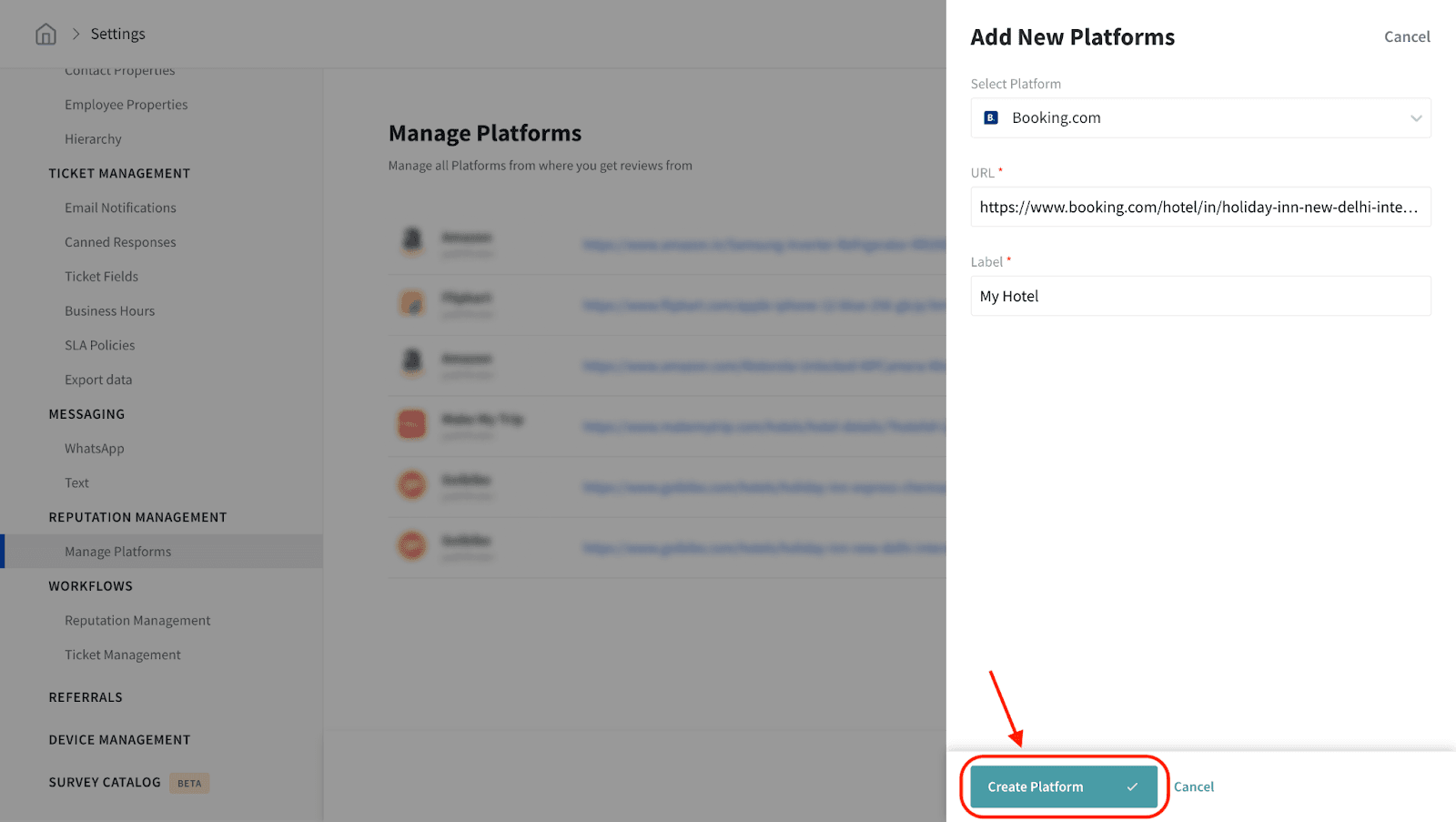
Now, you can manage your Booking.com reviews easily from SurveySparrow.
Please reach out to us if you have any questions.