
Custom Target with Infobip.

To set up Infobip as a custom target within SurveySparrow, follow these instructions:
- Log in to your SurveySparrow account.
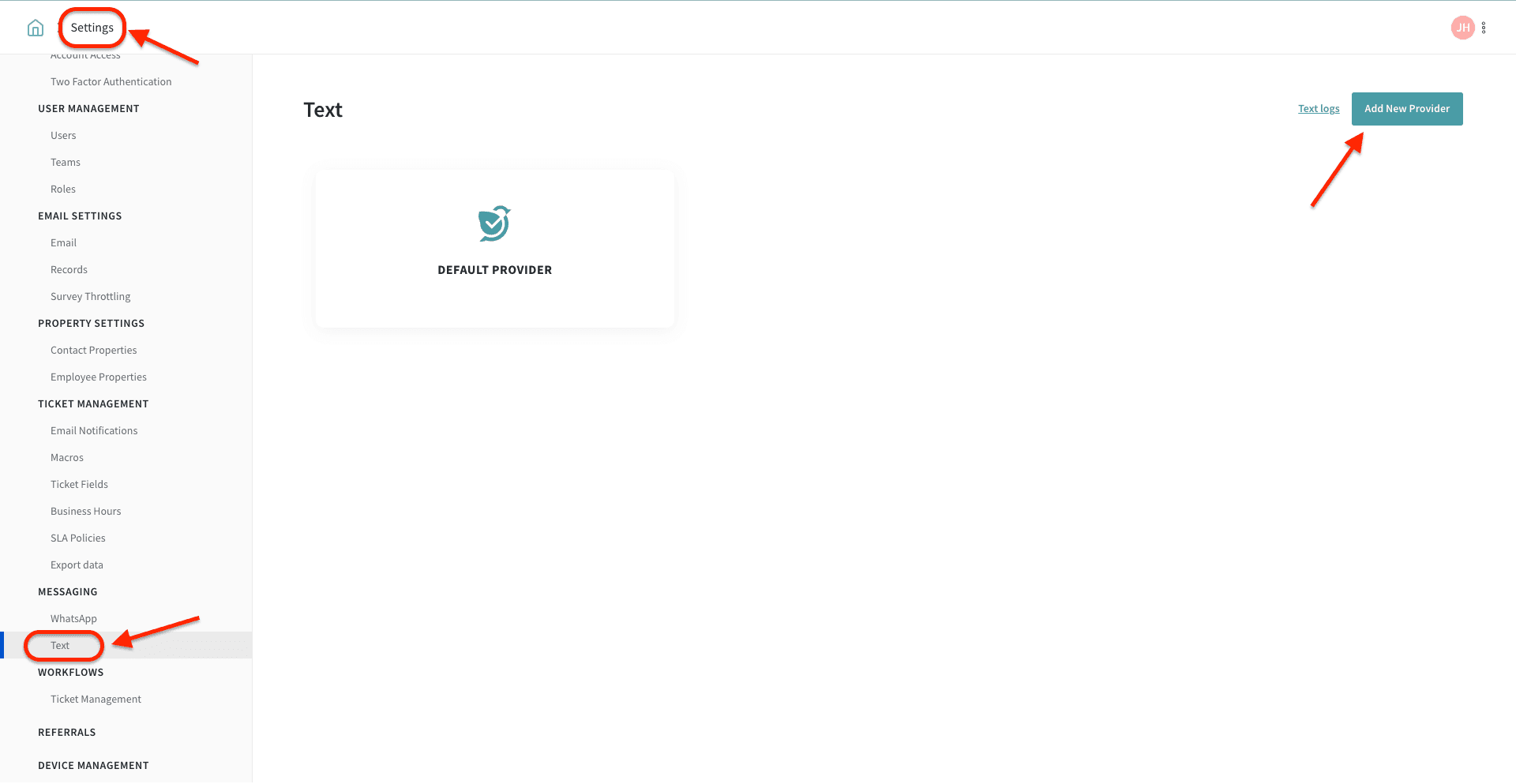
- Navigate to the 'Settings' menu and select 'Messaging.'
- Click on the 'Text' option and then choose 'Add new provider.'
Configuration :
The message payload contains the necessary information to send the SMS message. It should be in JSON format and include the following fields:
URL Endpoint: https://zj324k.api.infobip.com/sms/2/text/advanced
Body :
{
"messages": [
{
"destinations": [
{
"to": "{contact_mobile}"
}
],
"from": "Homzmart",
"text": "{message}"
}
]
}
Authorization: (Enter your API credentials here)
To get the API- key: https://www.infobip.com/docs/essentials/api-authentication
For reference and additional information, you can visit the Infobip API documentation :
https://www.infobip.com/docs/api/channels/sms
Please feel free to reach out if you’ve any queries. We’re just a chat away!