
How do I delete a Survey?

To delete a survey from your account, follow these steps:
1. Close the survey by clicking on the ellipsis (...) and selecting the "Close" option. This action will move the survey to the 'Closed' surveys folder, rendering it inactive.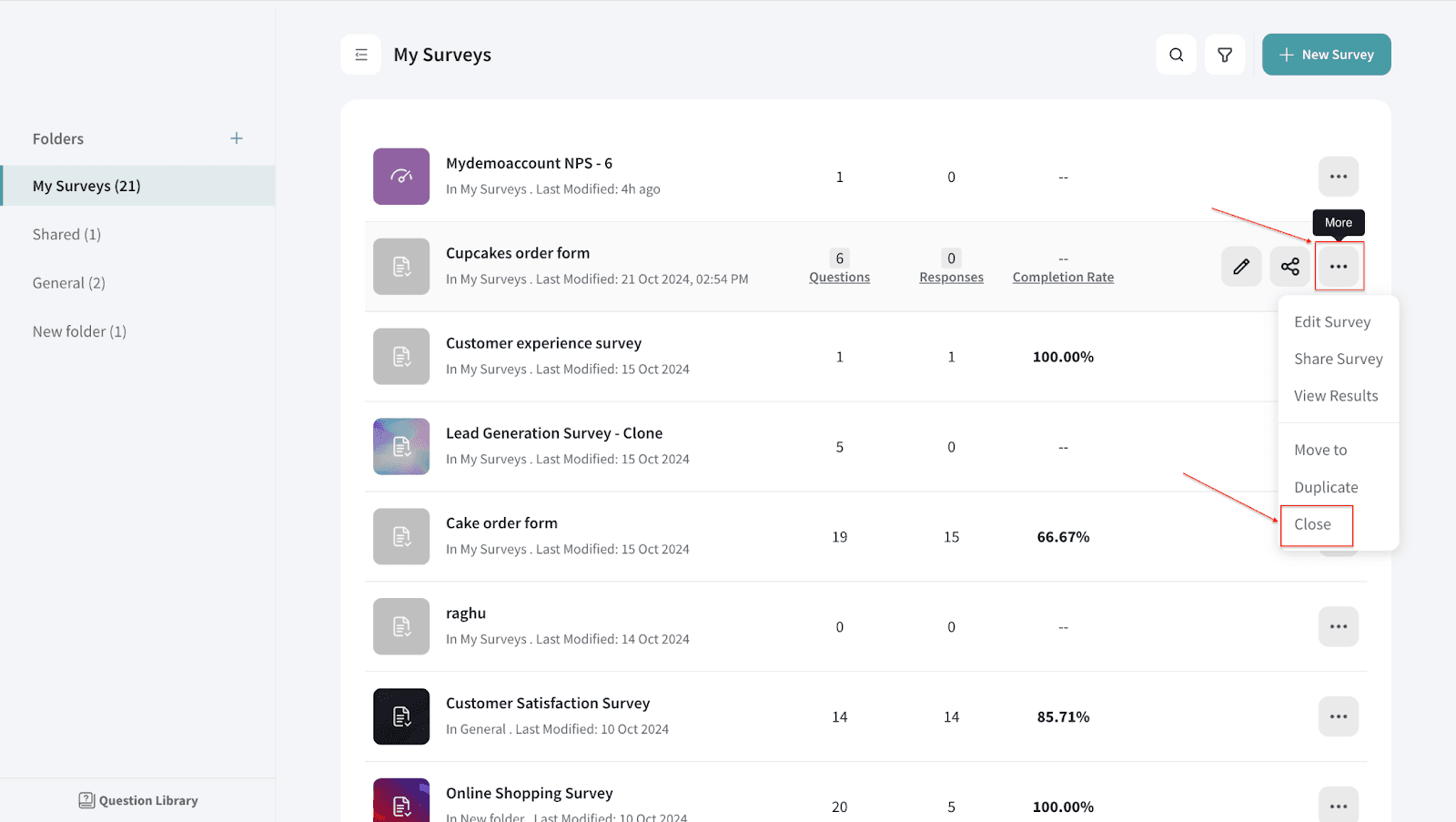
2. If you wish to delete the survey, change the filter from 'Active' to 'Closed.' Once you apply this filter change, you will notice a red dot indicating that the survey filter has switched from 'Active' to 'Closed.'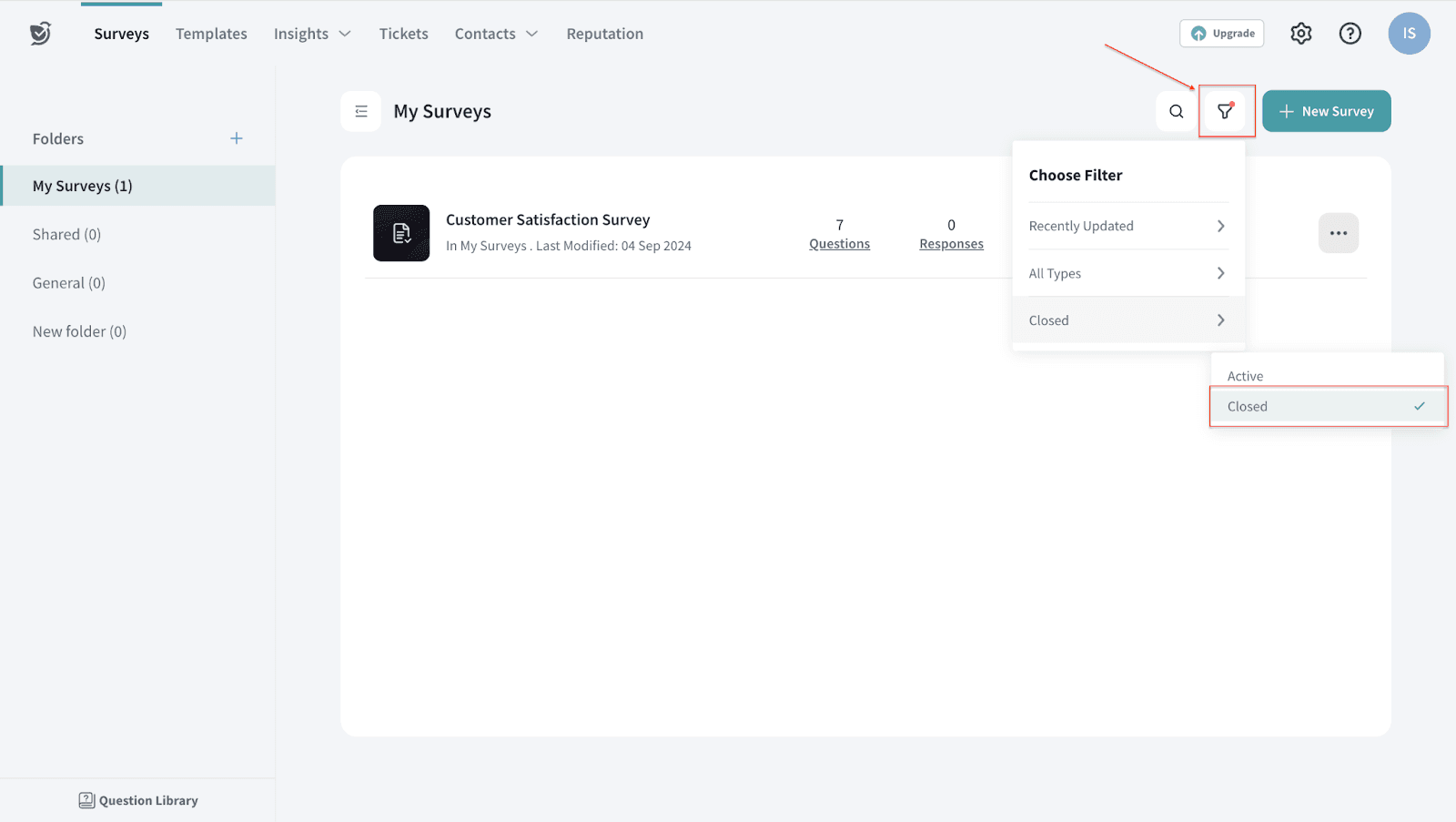
3. In the 'Closed' surveys folder, you will find all the surveys that have been closed. Here, you can choose to 'Delete' the survey. Alternatively, you can restore it if needed.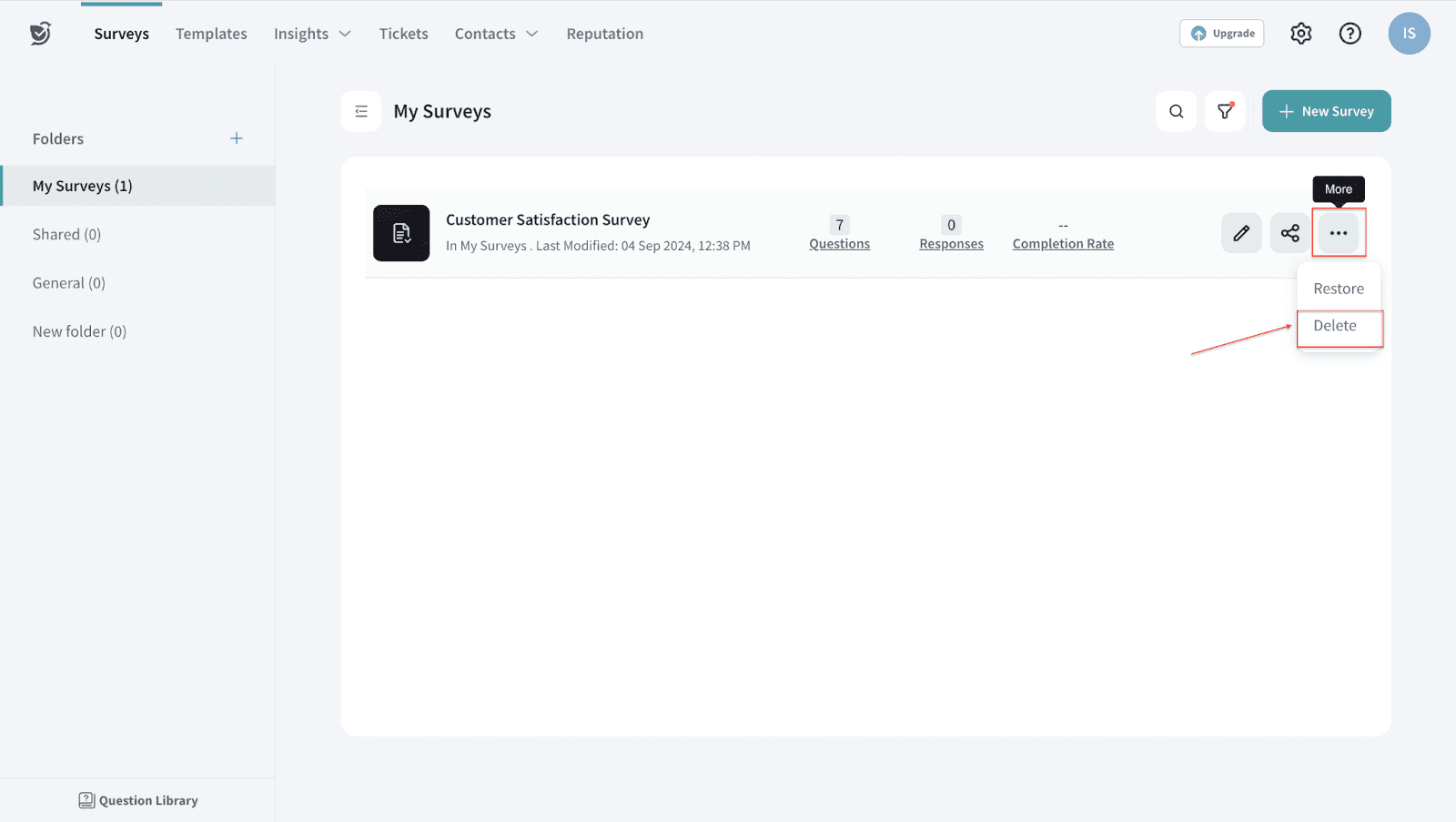
These steps will allow you to delete a survey from your Survey Sparrow account.
Note: Closing a survey only archives it and does not reduce your survey count. To free up survey slots, you'll need to permanently delete surveys that are no longer required. The number of survey slots restored after deletion may vary depending on the survey type.
Important: Deleted surveys cannot be recovered, so please proceed with caution.
Need to delete multiple surveys? Bulk deletion is not supported from the UI as a safety measure. If you need assistance with bulk deletion, or if your survey limit has not been updated after deleting surveys, please reach out to our Support team. We're just a chat away !